Term
UTM parameters
UTM parameters label a link with its source, medium and campaign. Analytics can read those values, while saving them with a form submission requires a separate setup.
 Daria Lisovenko5 November 2026≈ 7 min.
What are UTM parameters?
UTM parameters, also called UTM tags, add information about a traffic source, medium and campaign to a link, so a visit from a November newsletter can carry its own identifying values. An analytics tool reads them for acquisition reports.
For a business collecting enquiries through a form, this can help answer practical questions: which email brought visitors, which ad led to enquiries, and which placements produced useful leads? Each question needs a connection between the visit and its outcome. Tags alone do not configure a conversion event, submit a form or confirm a sale.
Think of a tag as a label on an invitation: it identifies the invitation used. If someone forwards the link to a friend, its labels stay the same even though the friend opens it from a private message. Read the report with that limitation in mind.
How a tagged link works
Each parameter has a name and a value. In utm_source=newsletter, the name defines the type of information and the value identifies the source. Add the first parameter after ? and separate the rest with &; if the URL already has query parameters, continue with &.
| Parameter | What it identifies | Example value |
|---|---|---|
utm_source | The source, such as a platform or newsletter | newsletter |
utm_medium | The marketing medium | email |
utm_campaign | The campaign name | consult_nov |
utm_content | A particular link or ad variation | header_button |
utm_term | A paid search keyword | office_cleaning |
These are five common parameters; others exist. For basic manual tagging, Google recommends using source, medium and campaign together. Use utm_content to distinguish links within one email, and utm_term when you need keyword information. An email campaign does not need an invented search term. See Google's campaign URL guidance for the parameter definitions.
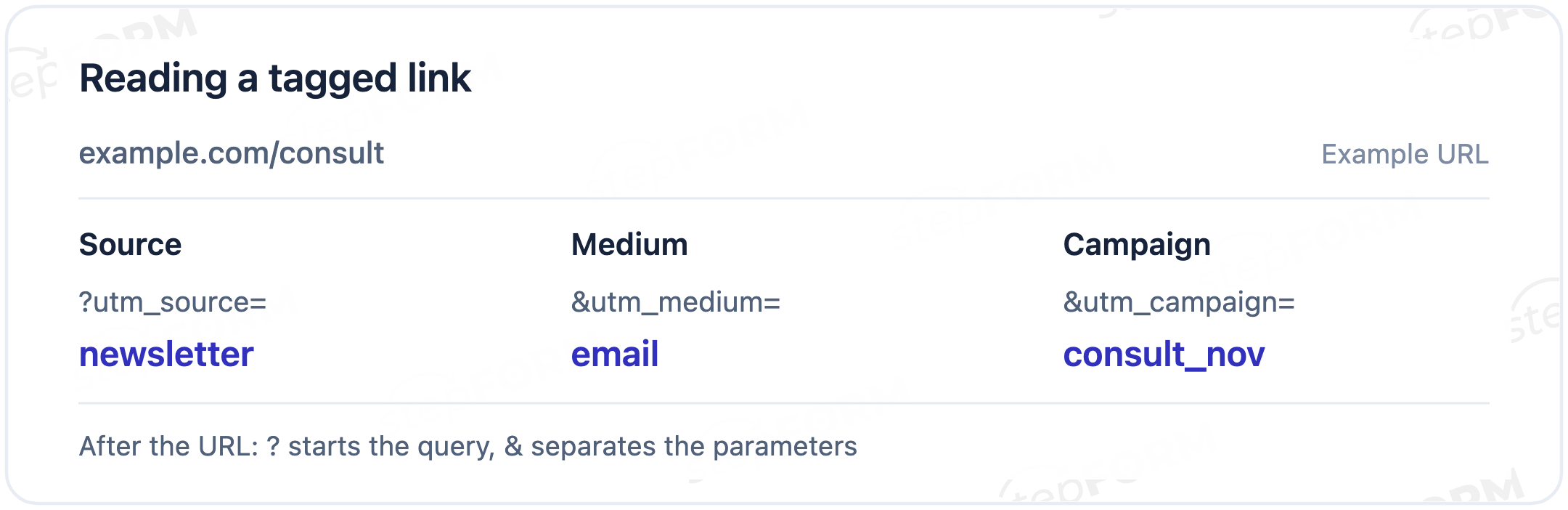
Example: an email inviting people to a consultation
Consider a fictional campaign inviting subscribers to book a consultation through a form at example.com/consult, with a button near the top of the email that uses the link below. The address is illustrative.
https://example.com/consult?utm_source=newsletter&utm_medium=email&utm_campaign=consult_nov&utm_content=header_button
Here, newsletter identifies the placement, email groups email traffic, and consult_nov connects links belonging to the campaign. For a text link farther down the message, keep those three values and change utm_content to text_link.
More button clicks might simply mean the button was easier to see. To compare enquiries, configure a successful submission event and connect it to the source in your chosen report; comparing sales also requires information about what happened after those enquiries arrived.
Record campaign names in a shared sheet before sending. If one colleague uses consult_nov and another uses november_consult, the report will contain two names for the same campaign. Editing a link later will not rewrite the data already collected.
Test the final link first. All four values should survive the journey to the landing page, after which you can check the analytics event and send a test submission. Values present in the address but missing from the answer point to a problem with reading or passing the fields.
A visit's source and a lead's source
Website analytics records page views and events. A form collects answers. To include utm_campaign in an answer, your setup must read the value, put it in a field and pass that field on submission.
Hidden fields can hold these internal values while the visitor fills in their name and contact details. Naming a field utm_source is only part of the setup. It still needs a value.
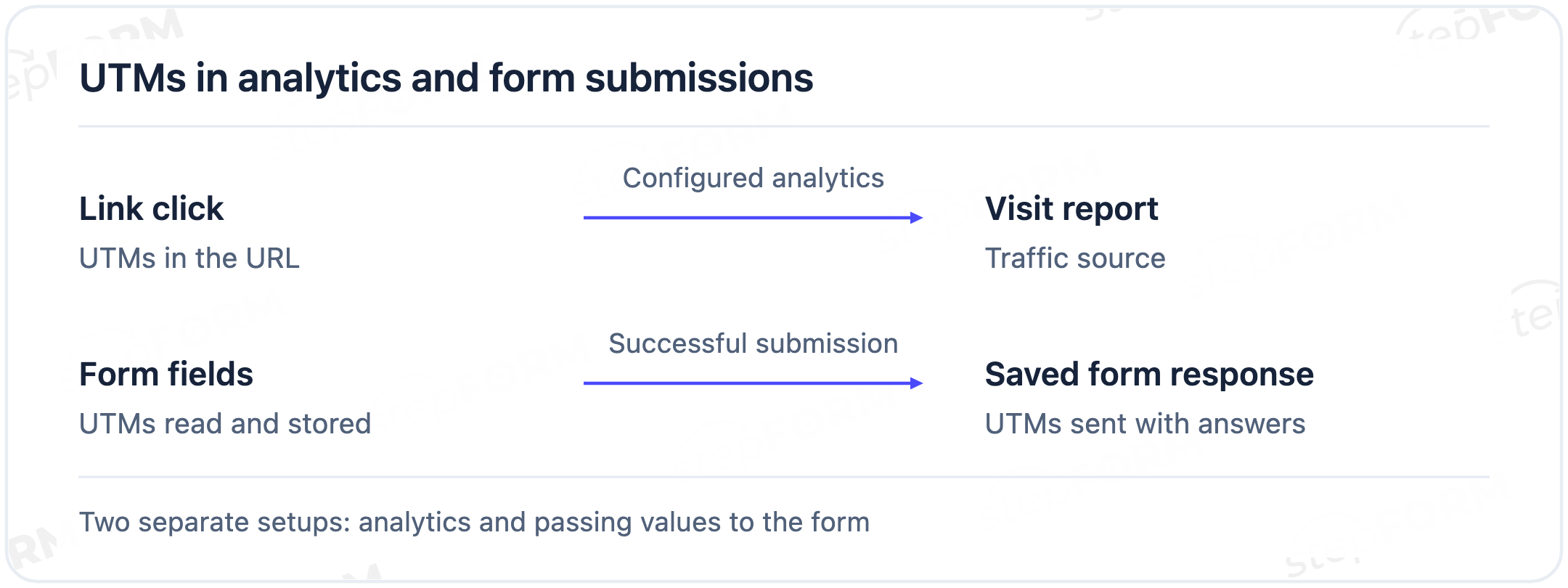
If answers go to a CRM, check the field mapping there too: matching field names do not prove that an integration passes their contents. Use a test submission with a recognisable comment so you can find it among incoming records.
Check embedded forms separately. A website page and a form inside an iframe can have different URLs. Parameters on the outer page do not automatically become parameters in the form's address. Check how your chosen embedding method passes them.
Keep campaign names consistent
Agree on one spelling for each source, using lowercase letters and a consistent separator to make custom names easier to maintain. Google Analytics treats parameter values as case-sensitive, so Newsletter and newsletter can appear separately even when the two rows describe the same audience.
Choose medium values with your analytics tool's channel rules in mind. A label that makes sense to its author may not match the intended default channel group. The conventional value email helps identify email traffic.
- Keep source names stable across campaigns unless there is a reason to change them.
- Check the destination after any redirect or link shortener. The page that reads the parameters needs to receive them.
- Track navigation between your own pages with events. Adding campaign tags to internal links can confuse external acquisition with actions on the site.
- Keep email addresses, phone numbers, passwords and other personal information out of URLs. Links appear in browser history, logs and forwarded messages.
What UTM parameters cannot tell you
Someone may discover a business through an ad, open an email later and submit a form several days after that, leaving an attribution model to assign credit across those interactions. UTM values supply some of the information it uses.
Google Analytics distinguishes a user's first source from the source of a session, and the values can legitimately differ because they answer different questions. Google's traffic-source scopes documentation explains this distinction.
Your form also needs a rule: save values from the current visit, the first visit or the latest eligible interaction, with storage and updates between visits required for the last two approaches. Reading the current URL cannot recover that history.
Clicks, visits and submissions can differ because a visitor may leave without submitting, tracking may not load, or someone may return through several channels before completing one form. Define the outcome you want to measure before asking which source produced it.
Using UTM values with stepFORM
stepFORM documents a way to copy a URL query parameter into a text field using its Code widget. Because the example uses JavaScript to read the current address and fill a selected field, you need to adapt the parameter and field names before testing the published form.
The custom HTML code instructions, checked on November 5, 2026, specify the Pro plan. Email delivery of hidden field values also requires enabling the option to include hidden answers in the logic jump settings. See the hidden fields guide.
For an embedded form, check that the values reach the form's address, then verify the next handoff if you also use a CRM connection. The consultation example illustrates the setup. It still needs to be implemented and tested.
You can build an enquiry form in the stepFORM form builder and add the internal values you need. Start with one campaign. Follow one test submission from its link to the record where your team will read its source.
Frequently asked questions
Do I need all five UTM parameters?
Use source, medium and campaign for basic manual tagging. Add content to distinguish links or ads, and term for keyword information. Your analytics and advertising setup may require additional parameters, for example when importing cost data.
Can UTM values contain non-Latin characters?
Yes, with correct URL encoding. A consistent naming convention still helps people share links and compare reports. Avoid mixing translated names for the same source unless your team has agreed on a rule.
Can a QR code contain a tagged link?
Yes. Scanning opens the URL; subsequent tracking depends on the destination page and analytics setup. Use different values for different posters if you want to distinguish them in reports.
Can I shorten a UTM link?
Yes, if the redirect preserves the parameters in the final URL. Open the exact shortened link that the email recipient or ad viewer will receive, then check that its destination still contains the values.
Do UTM parameters replace automatic ad tagging?
Not always. Advertising platforms have their own click identifiers and processing rules. Google Analytics handles manual and automatic tagging differently. Check the documentation for your combination before using both together.
Further reading
Build a sales funnel online follows an enquiry beyond the form, helping you decide where to check the business outcome.