Term
Input mask
An input mask defines a pattern for entering a value: which characters belong in which positions. It helps format a phone number, date or code, but does not confirm that the data itself is correct.
 Daria Lisovenko6 October 2026≈ 8 min.
What is an input mask?
An input mask defines a pattern for entering a value: which characters belong in which positions. A date field might separate digits with full stops, while an order-code field accepts two groups of digits with a hyphen. The visitor enters a value within a defined structure rather than arranging the separators themselves.
In brief: a mask helps people enter data in the expected format. Checking whether that data is correct and suitable for the task is a separate job.
Masks appear in contact forms, registrations, enquiries and questionnaires where the accepted format is known in advance. They can reduce mistakes with separators and length, but a restrictive template can also reject a real phone number or a valid code. More submissions are not guaranteed.
How the pattern works
A mask contains positions for user-entered characters and fixed parts. The fictional order code 12-3456 needs two digits, a hyphen and another four digits; depending on the implementation, the separator appears automatically or is already visible in the field. Allowed characters, incomplete entries and cursor behaviour also depend on the particular mask.
Check the tool's notation first. Different tools can use different symbols for a digit, and the stepFORM input-mask documentation uses 9, so our numeric code takes the template 99-9999. This is a setting, not the value a visitor is expected to type.
Which answers should the form accept? A fixed-length order code can use one pattern, whereas a phone number from any country calls for restrictions that account for different country codes and number lengths. If you do not yet know the formats, first establish what appears in genuine enquiries. A mask should not decide which customers the business can serve.
Input mask, placeholder and validation
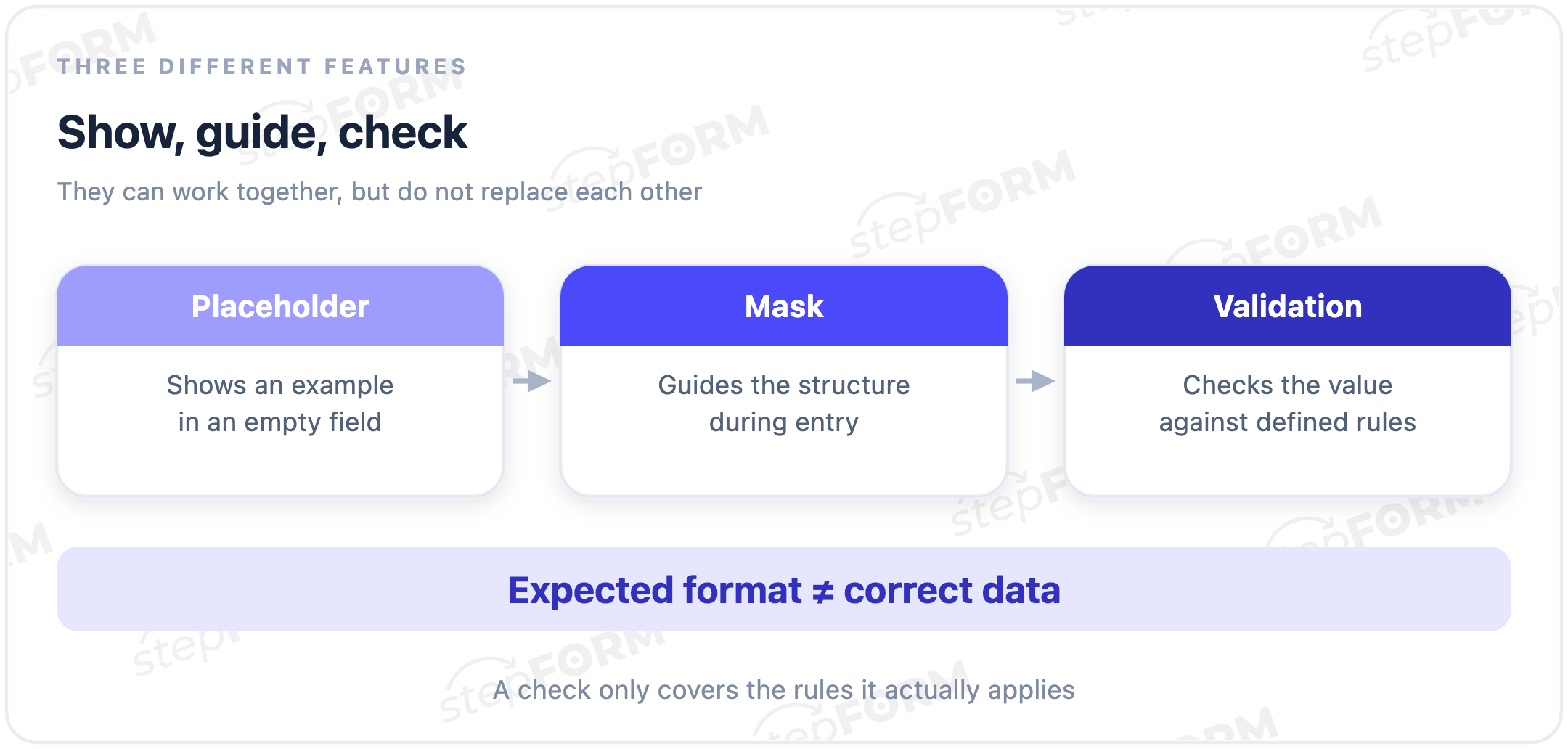
| Feature | What it does | What it does not prove |
|---|---|---|
| Placeholder in an empty field | Shows an example or expected format | That the visitor will follow that format |
| Input mask | Guides entry according to a pattern | That a date exists or a phone number is reachable |
| Validation | Checks a value against defined rules | That conditions absent from those rules have been checked |
Validation can check length, allowed characters, whether a date exists or other conditions. It depends on the rules: checking the number of digits in a phone number does not also establish who owns it or whether it can be reached. Even a real calendar date does not show whether an appointment is available.
The HTML pattern attribute is not an input mask either. As MDN explains, it defines a regular expression used to check the value. The attribute alone does not insert separators while someone types. Whether a field is required is a separate condition: following a format and having to supply an answer are not the same requirement.
A date can fit the pattern and still be wrong
Consider a simple mask with two digits, a full stop, two digits, a full stop and four digits. The order is explicitly day, month, year. This is an illustration of a structure check, not a description of calendar validation in stepFORM.
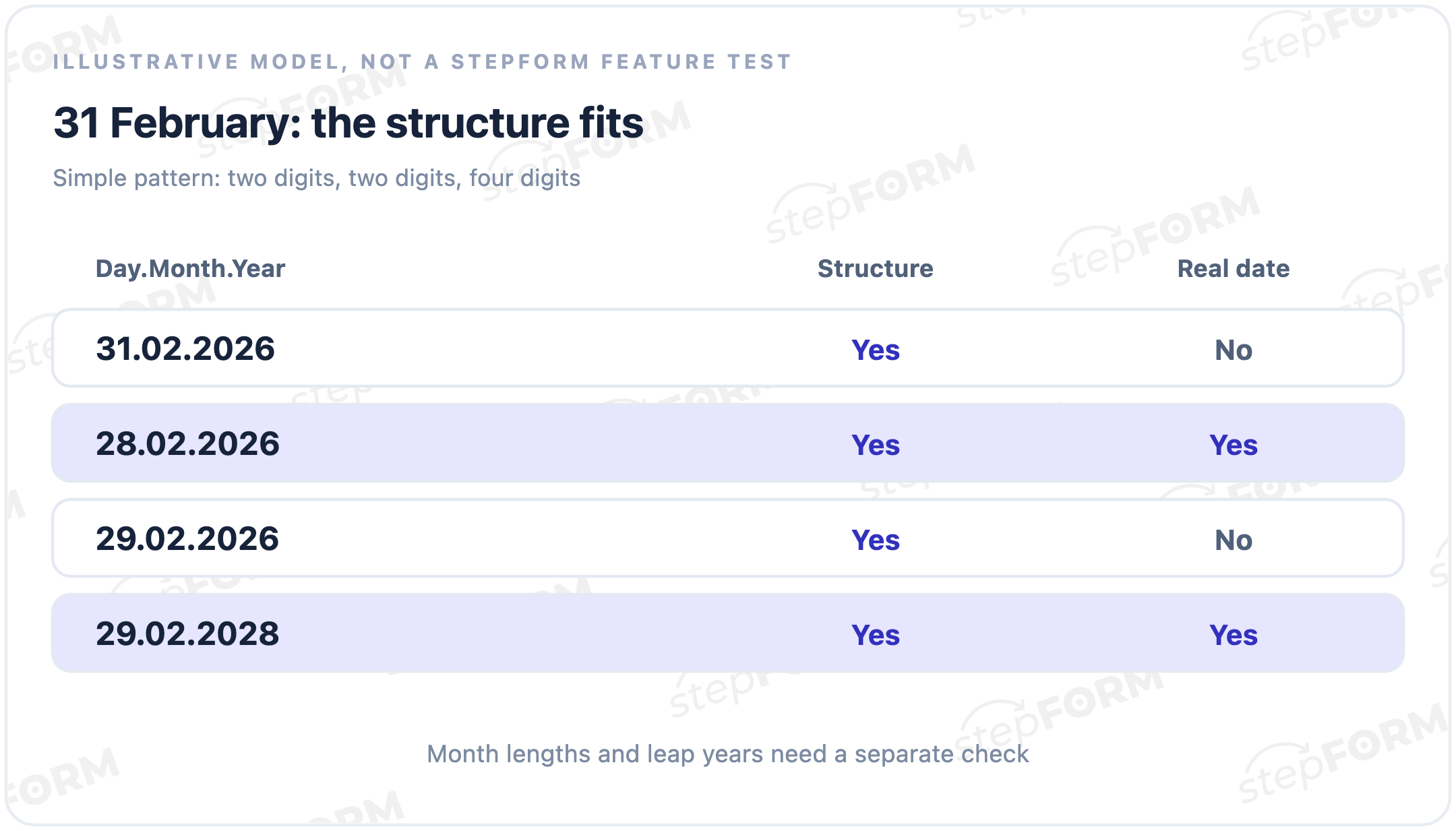
31.02.2026 has the expected digits and separators. There is no such calendar date. Compare 29.02.2026 with 29.02.2028: both have the same structure, but only the second date exists.
An appointment form needs the service's rules too. Is a slot available? Does the specialist work that day? Can someone select a date in the past? A mask alone answers none of these questions. A calendar picker may suit a day-selection task, but its restrictions and appointment availability also need checking.
Where masks help and where they get in the way
Phone numbers
A phone mask can help when the form serves a known number format. Apply one national template to everyone, though, and a different country code, number length or extension may not fit even when the number is real. If you accept international enquiries, do not reject these entries merely because they differ from local numbers.
Test pasting a number with spaces, brackets and a + sign. Someone may copy a contact instead of typing each digit. If you need to verify the number or establish that it can be reached, use a separate process, such as code verification. A mask does not show that such a process is enabled.
Order codes and postcodes
A fixed pattern suits a code that your system genuinely issues in one format. However, 0042 must retain its leading zeros: it is an identifier, and converting it to the number 42 changes its written form. A digit mask does not guarantee that the receiving service will preserve the code without this conversion.
For postcodes, consider where you deliver first. Different countries use different lengths and combinations of letters and digits. Do not impose a single numeric rule if you accept addresses with another structure.
Names, comments and open answers
A name or a description of a task has no single pattern equivalent to an order code. Restrictions can reject a multi-part name, a hyphen or characters from another alphabet. A clear label, a reasonable length limit and checks based on the actual task are usually more appropriate than a rigid mask.
What the submission actually contains
What leaves the form? One implementation saves 12-3456 with its hyphen; another sends 123456, so the value shown on screen and the value sent onwards can differ. Neither format is universally correct. Agree the expected format with the system that looks up the order or processes the enquiry.
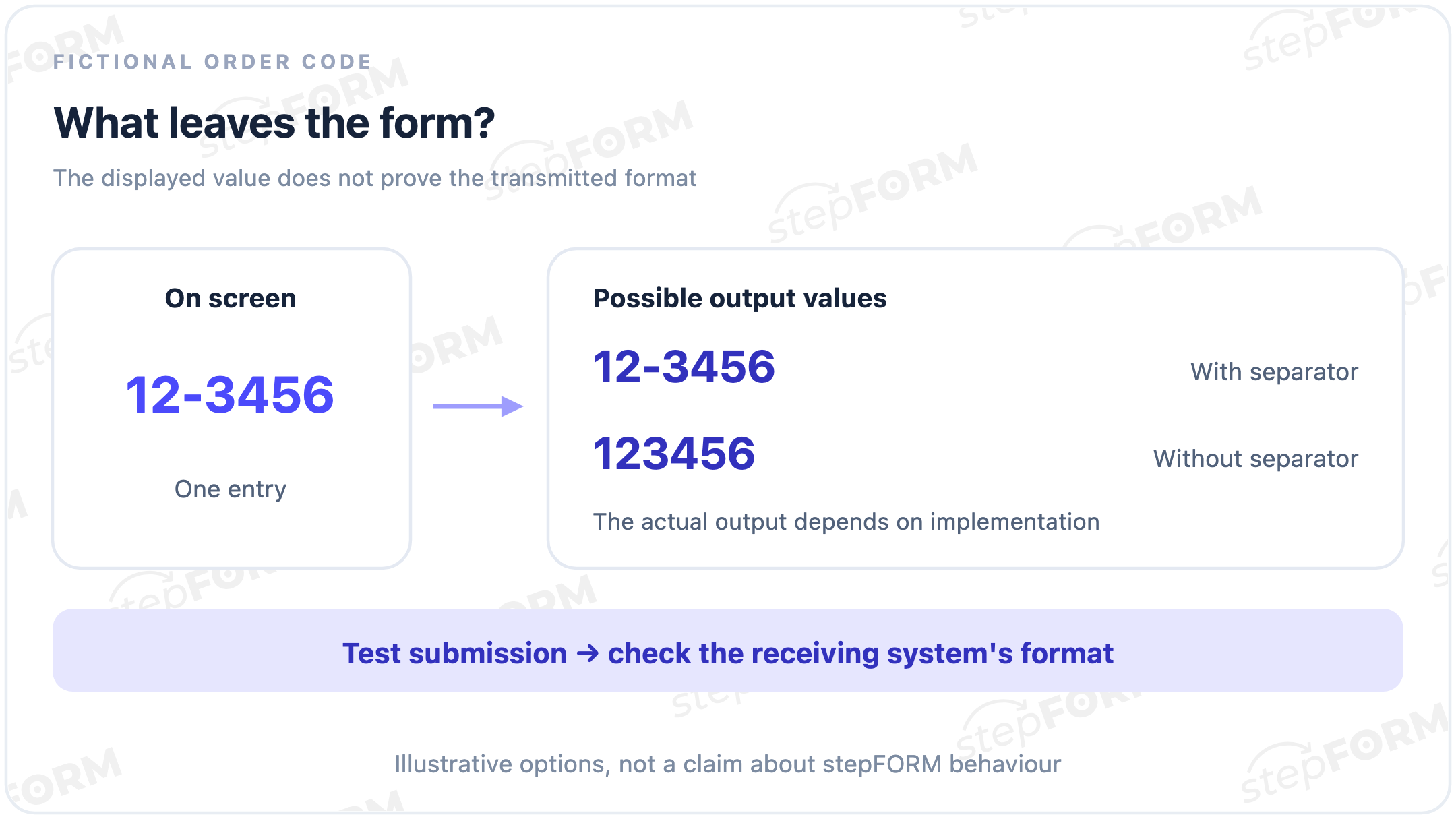
Check the saved response and the place where someone will use it: a notification, export or connected system. If the code looks right in the form but the order cannot be found after submission, the problem may be a value transformation rather than the visitor's answer.
A browser mask is not server protection. W3C notes that client-side checks can be bypassed. The receiving system must check the necessary conditions independently of the interface.
What to test before launch
- Typing and correction. Enter the complete value, delete a character in the middle, select several digits and replace them. The cursor and separators should not obstruct corrections.
- Paste and autofill. Try an entry with separators and one without. Look for missing digits or a duplicated country code.
- Empty and incomplete answers. Establish which fields are required. If an entry is rejected, explain what is missing and retain the data already entered.
- Mobile entry. Test the form on a phone with its on-screen keyboard. A narrow browser viewport is useful for layout checks, but does not replace that test.
- The stored value. Make a test submission and compare the response with the original entry, including leading zeros and separators.
Do not make visitors infer the format from empty underscores. Give the field a persistent label and a brief explanation, such as “Date of birth, day.month.year”. The W3C guidance on form instructions covers formats and hints separately. A placeholder is not a substitute for a label and disappears once the field contains a value.
An appropriate keyboard is not a mask either. The inputmode attribute suggests an on-screen keyboard to the browser; it does not validate the entry. These technical interface properties do not imply that a form builder offers settings with those names.
Input masks in stepFORM
stepFORM supports masks in the Text Input widget. See the documentation above for settings and notation. Choose a template for that field's data, then check whether someone can comfortably enter the value and what is saved when you submit a test response. A mask alone does not verify a real phone number or check appointment rules.
You can use the stepFORM builder to create a form with the fields you need. Start with the acceptable answers, then decide where an entry restriction helps the visitor.
Frequently asked questions
Is an input mask the same as validation?
No. A mask guides entry according to a pattern; validation checks the value against rules. They can work together. A simple date pattern does not confirm that the day exists.
Does a mask verify a real phone number?
No. Matching a format does not confirm that a number is reachable or belongs to the person who entered it. That requires a separate check; a mask does not establish that the check is enabled.
Can an input mask be used for a date?
Yes, to define the entry structure. Calendar validity and the task's conditions need separate checks. For example, 31.02.2026 fits a simple numeric template even though the date does not exist.
Does a mask make a field required?
Not by itself. Requiring an answer and defining its format are different conditions. Test whether the field can be skipped and what happens to an incomplete entry.
Does an input mask improve form conversion?
Not necessarily. It can make a known format easier to enter, but an overly rigid restriction can obstruct suitable visitors. Compare successful submissions and errors, not just the field's appearance.
Are separators and leading zeros saved?
That depends on the implementation and processing after the form. Submit a test response and check both storage and transfer to the working system. Losing the leading zeros in code 0042 changes the identifier itself.
Related resources
- Input mask documentation: configure a mask in the Text Input widget.
- Why a website form is not getting leads: diagnosing drop-off, including mobile entry and errors.