Term
Lead form
A lead form is a web form that collects an interested visitor's contact details and information about their request so a business can follow up.
 Daria Lisovenko16 September 2026≈ 9 min.
What is a lead form?
A lead form turns an anonymous website visitor into a potential customer by asking how to contact them and collecting enough information to understand their request. Once they submit successfully, the business can reply, prepare an estimate, recommend a solution, arrange a demonstration, or pass the enquiry to the right person.
In short: a lead form collects contact details and enough context to act on a request, not just answers.
Not every form is a lead form. A search box, login form, or anonymous survey may collect data without creating a sales or consultation enquiry. A lead form gives the business enough information to continue a useful conversation with the person who filled it in.
How a lead form works
Start with an offer: a consultation, estimate, demo, proposal, callback, or useful resource. The visitor supplies a contact channel and answers the questions needed for the next step. The system checks the data, saves the response, and sends it where the team handles enquiries. Then the visitor sees confirmation that the request was accepted and learns what happens next.
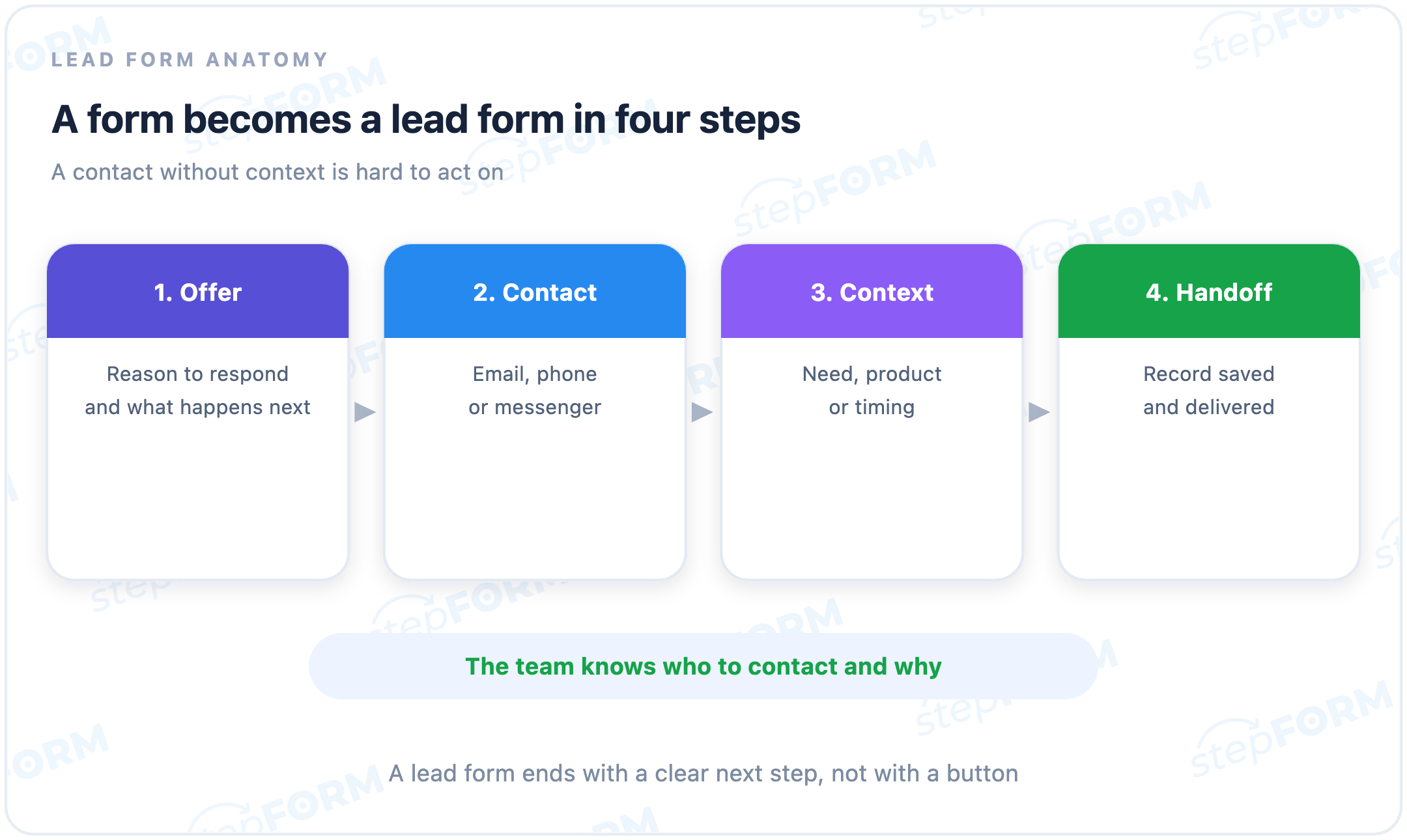
“Thank you” alone is not enough. Confirm that the data was accepted, say how the team will reply, and give a realistic response time. Otherwise the visitor may wonder whether the form worked and submit it again.
What a lead form contains
- A heading and explanation. They state what the visitor will receive and why the requested data is needed.
- A contact field. This may be an email address, phone number, or another channel the business genuinely uses.
- Context questions. These identify the service, product, problem, timing, location, or another parameter required for the first useful response.
- A specific action button. “Get an estimate” or “Book a demo” communicates more than a generic “Submit.”
- Validation and confirmation. Errors explain what to correct, while the success state confirms that the request was accepted.
Some forms also have hidden technical fields. A source, campaign tag, form identifier, or version can help route enquiries and analyse results without extra work for the visitor. Keep them in that supporting role. They cannot replace information the person needs to see and understand.
Which fields should a lead form include?
Work backwards from the next action. Collecting as much data as possible is not the aim. If a specialist will call to clarify the project, a name, phone number, and short comment may be enough. Location helps when enquiries go to different branches. An estimate requires the parameters used to calculate it.
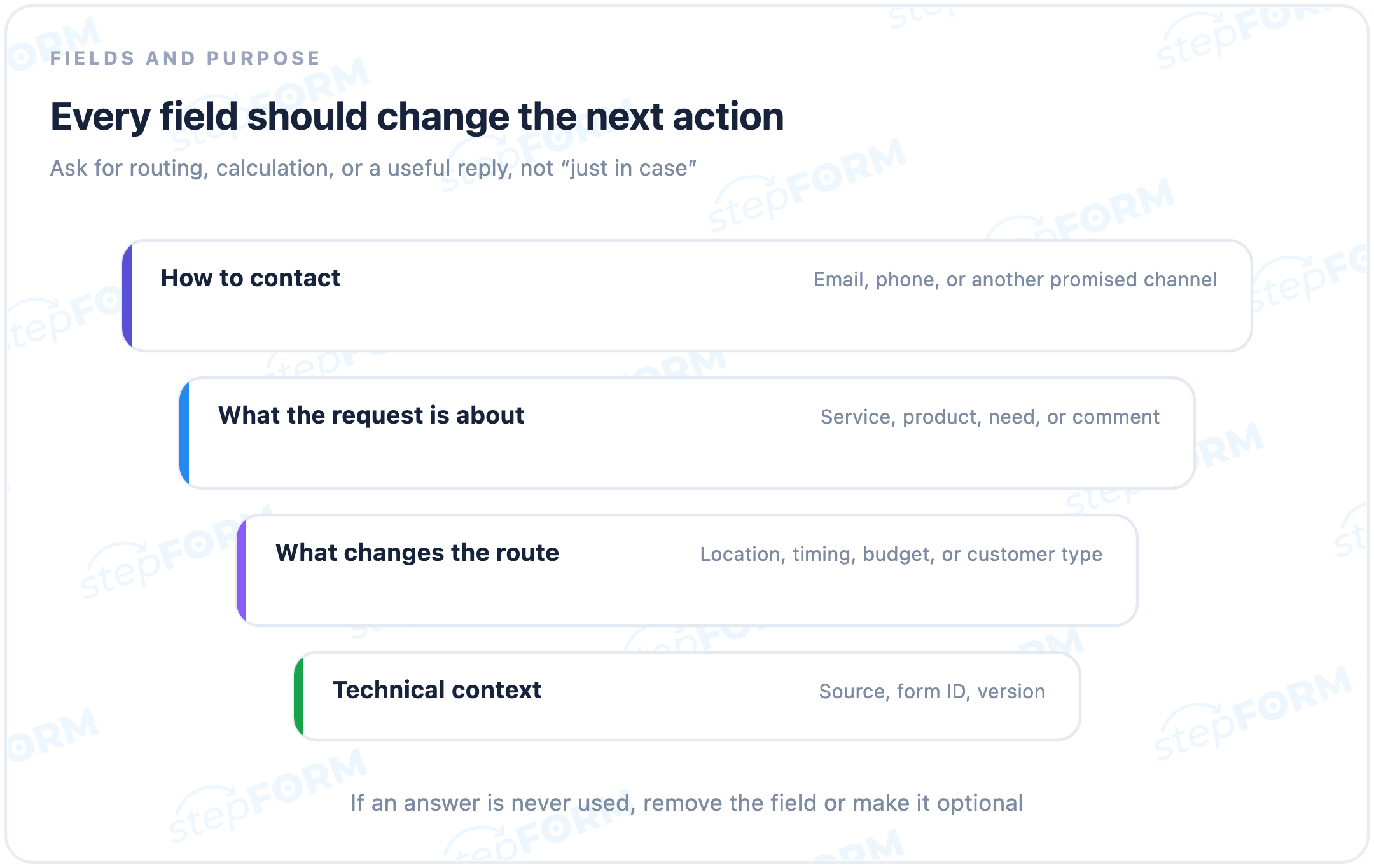
Information required to make contact, choose an owner, prepare an estimate, or understand the request.
A full address, date of birth, job title, or other details that nobody will use in the immediate next step.
There is no ideal field count for every form. Fewer fields take less effort but may bring more irrelevant enquiries. More fields can prepare the team for the first conversation, at the cost of the visitor's time. Judge completion and enquiry quality together.
Lead form example
A window-installation company offers a preliminary estimate. Its form asks for a name, phone number, location, property type, and number of windows. The phone number gives the team a way to reply. Location selects a branch, and property details let the team prepare an initial estimate. After submission, the visitor sees when a specialist will respond. The manager has a request to work with, not an unexplained phone number.
If missing or unclear answers force the team to repeat every question on the phone, those visible fields are not doing useful work. An exact address may be unnecessary at first contact if the preliminary estimate depends only on the city and property type.
Common types of lead forms
| Scenario | What it offers | What it commonly collects |
|---|---|---|
| Callback | A conversation with a specialist | Name, phone number, convenient time |
| Consultation | An answer about a specific need | Contact, problem description, timing |
| Estimate or quote | A preliminary price | Contact and calculation parameters |
| Product demo | A guided product presentation | Work email, company, use case |
| Resource request | A guide, checklist, or file | Email and, when relevant, topic interest |
A lead form can be a landing-page block, embedded widget, popup, or the final screen of a quiz or calculator. The format does not change its job. It must collect usable contact details and relevant context, with a clear route for the enquiry.
What counts as a successful submission?
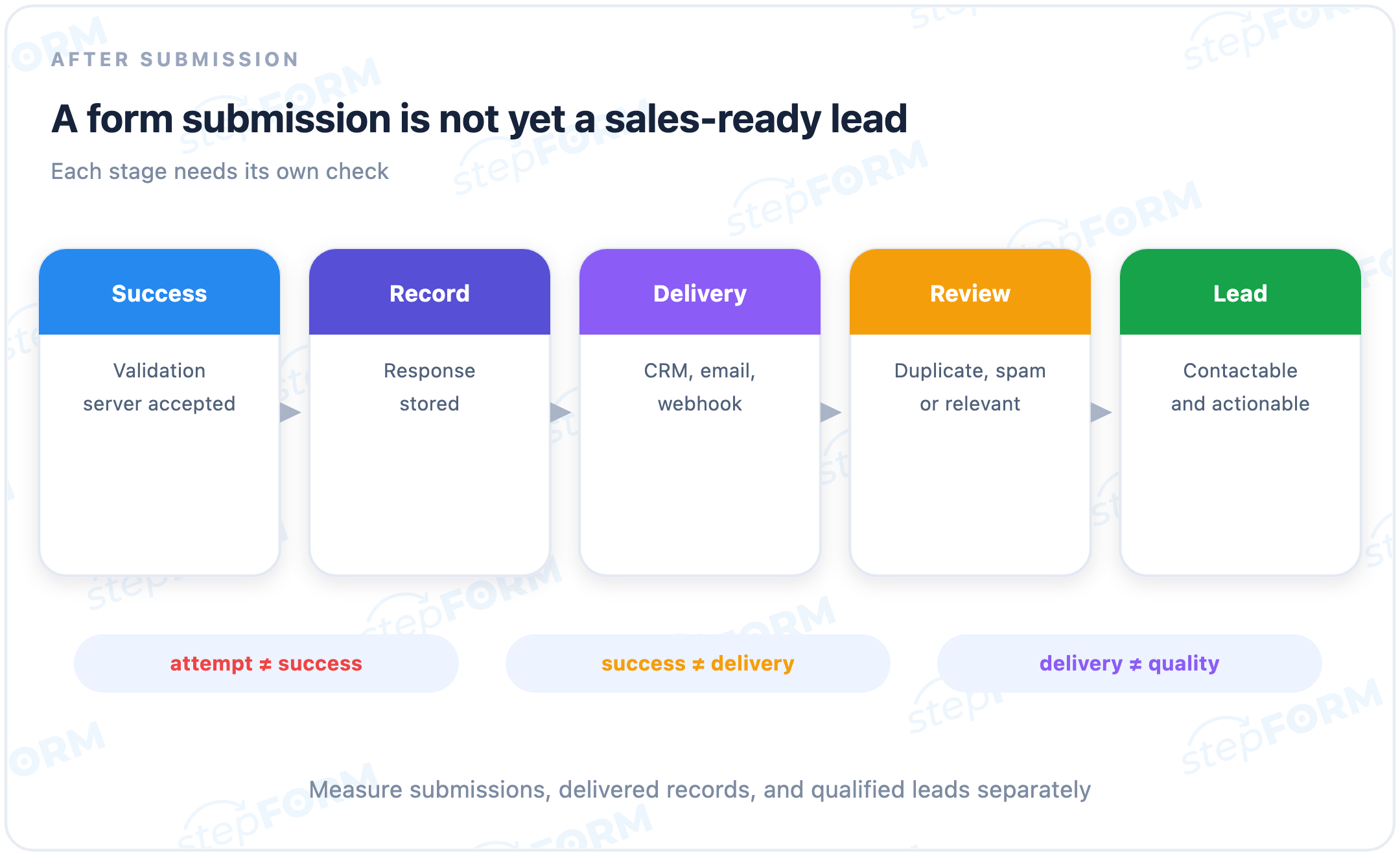
A button click does not prove the form worked. Validation may stop it, the network request may fail, or the server may reject the data. A reliable success event means the server accepted and saved the response, and the visitor saw a success state or thank-you page.
A successful submission is not automatically a lead. It may be an internal test, duplicate, spam entry, or irrelevant enquiry. Track successful submissions, delivered records, and qualified leads separately.
Where should a lead go after submission?
Send the response where the team actually handles enquiries: a response list, email inbox, CRM, messenger, or another system through a webhook. Who owns the next action? How quickly should they reply, and where will the history stay visible? Choose the destination around those answers.
- Save the response. Keep the record even if an external delivery channel is temporarily unavailable.
- Put it in a working queue. Every enquiry needs a clear owner or routing rule.
- Preserve the context. Send the answers, source, and form version together with the contact details.
- Verify delivery. Trace one labelled test submission through every destination instead of stopping at the success screen.
Email notifications can be enough at low volume. At scale, assigning them, searching them, and connecting them with later outcomes becomes difficult. A CRM or structured queue helps preserve ownership and status. Choose for the real process, not the number of integration logos.
How to measure a lead form
Submission count alone is not enough. Track form views, starts, successful submissions, delivered records, and qualified leads. Few starts? Check the offer and placement. People start but do not finish? Check fields, errors, and the mobile experience. Successful submissions that the team cannot find point to delivery.
Always state the starting point when reporting a percentage. Form conversion can be calculated from page visits, form views, or form starts. Each denominator answers a different question and should remain consistent when comparing periods or versions.
Common lead-form mistakes
- No clear offer. A heading such as “Leave a request” does not explain what the visitor receives after submission.
- Every field is required. The visitor must answer questions that are not necessary for the next action.
- A click is counted as a lead. Attempts blocked by validation or a technical error enter the report.
- The success message is vague. The visitor does not know whether the data was accepted or when to expect a response.
- The enquiry exists only in email. It is difficult to assign an owner, preserve status, and connect the request with a later outcome.
- Testing stops at the thank-you screen. Nobody verifies that the same record reached the response list, CRM, or notification channel.
How lead forms are used in stepFORM
stepFORM can be used to build a form with the required fields, style it for a website, publish it through a direct link, or embed it in a page. Responses can be analysed and sent to working channels through notifications and external integrations.
The lead form can also be the last step of a quiz, test, or calculator. The manager then receives contact details together with answers, a result, or a calculated amount. The article “Form, quiz, or calculator” explains which visitor tasks each format suits.
How a lead form differs from related forms
- A feedback form is a lead form when it asks for a contact so the business can reply. An anonymous comment without a return channel does not create a lead.
- A registration form creates an account. It may be part of a sales journey, but its primary function is access to a service.
- An order form records selected items, quantity, delivery, and sometimes payment. A lead form may stop before an order is placed.
- A quiz guides a visitor through questions toward a recommendation or result. A lead form may appear on its final screen.
In brief
- A lead form collects contact details and context for a follow-up action.
- Its fields should be derived from routing, calculation, or the first useful response.
- A button click is not the same as a successful submission.
- A successful submission is not always a qualified lead.
- The response should be saved, delivered, and assigned to an owner.
- Measure the full chain from form view to enquiry quality.
Frequently asked questions
How is a lead form different from a regular form?
It collects a contact channel and enough information for the business to follow up usefully. A search, login, or anonymous survey form may collect data without creating a lead.
Does a lead form always need a phone number?
No. The contact channel should match the promise. Email can be enough for delivering a resource, a phone number suits a callback, and a messenger may be appropriate for a conversation.
How many fields should a lead form have?
Ask only for what the immediate next action requires. For each field, check whether the answer changes routing, calculation, or the first response.
When should a lead form be multi-step?
Use steps when questions form meaningful groups, later questions depend on earlier answers, or one screen is too crowded on mobile. Steps should clarify the process, not just hide its length.
How can I tell whether a lead form works?
Compare views, starts, successful submissions, delivered records, and qualified leads. A single final percentage cannot show whether the problem is the offer, form experience, delivery, or lead quality.
How do I test lead delivery?
Send a test enquiry with a unique label, confirm it is stored in the response list, and then find the same label in email, CRM, messenger, or webhook logs.