Term
Client brief
A client brief records the starting information for a project: the problem to solve, the audience, the expected outcome and the constraints. It gives the provider a basis for questions and a proposal.
 Daria Lisovenko16 October 2026≈ 8 min.
What is a client brief?
A client brief records the starting information for a project: the problem to solve, who the work is for, the expected outcome and the constraints. It can be a document, a questionnaire or a written account of a conversation. The provider uses it to understand the request before proposing the work.
“We need a website” leaves a lot unanswered. The client might mean a portfolio, an enquiry page or a large catalogue. A brief gives that request enough shape for a discussion. Otherwise, the designer and the client can spend an entire meeting talking about different websites.
In short: a brief explains the problem and its context. Detailed requirements and the proposed scope come after the starting information has been discussed.
Agencies, designers and developers use briefs when they need to understand someone else's task. The client can also be an internal colleague. A sales team asking marketing for new materials still has to explain who needs them and why. The format may change, but the brief gives both sides a common starting point.
Why collect a brief before estimating the work?
The provider does not see the business through the client's eyes. To a photographer, “a booking page” might mean a form followed by a phone call, while the developer might picture a live availability calendar with payments. Those are different jobs. They need different estimates.
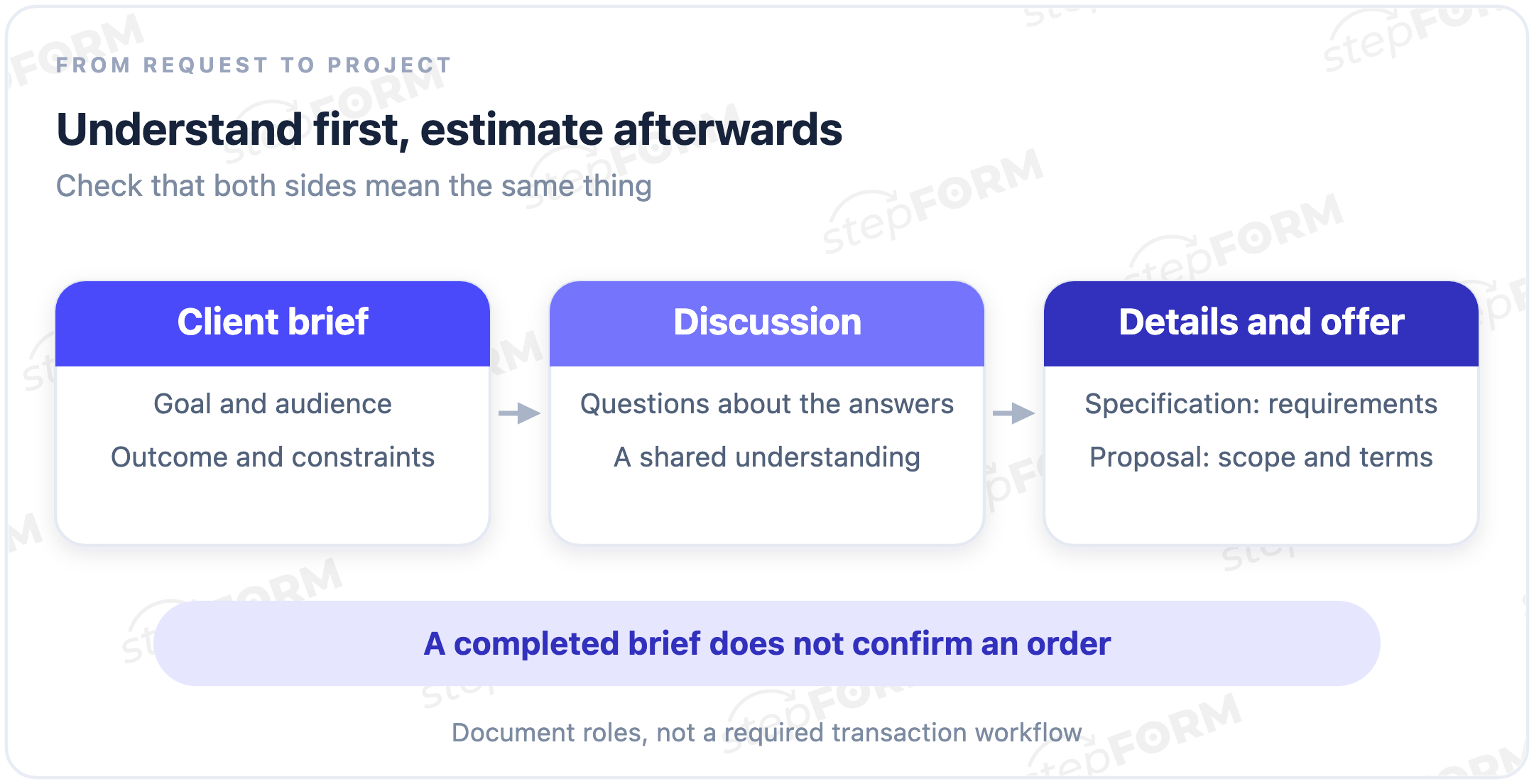
A completed brief is worth discussing: as the provider flags conflicting answers, asks about gaps and explains the outcome they have understood, some answers will change during that conversation. “Automatic booking” might become “a request for a preferred date, confirmed by phone”.
A brief does not guarantee a project without revisions. It exposes questions that could otherwise arrive halfway through the job. When an answer affects the price, ask before sending the proposal. Guessing does not make the uncertainty disappear.
What goes into a client brief?
The questions depend on the service. A logo brief needs to cover where the design will appear, while a website brief needs to explain what visitors should do and an advertising request needs an offer and the relevant platform restrictions. Copying every question from somebody else's template can leave the client doing work that helps nobody.
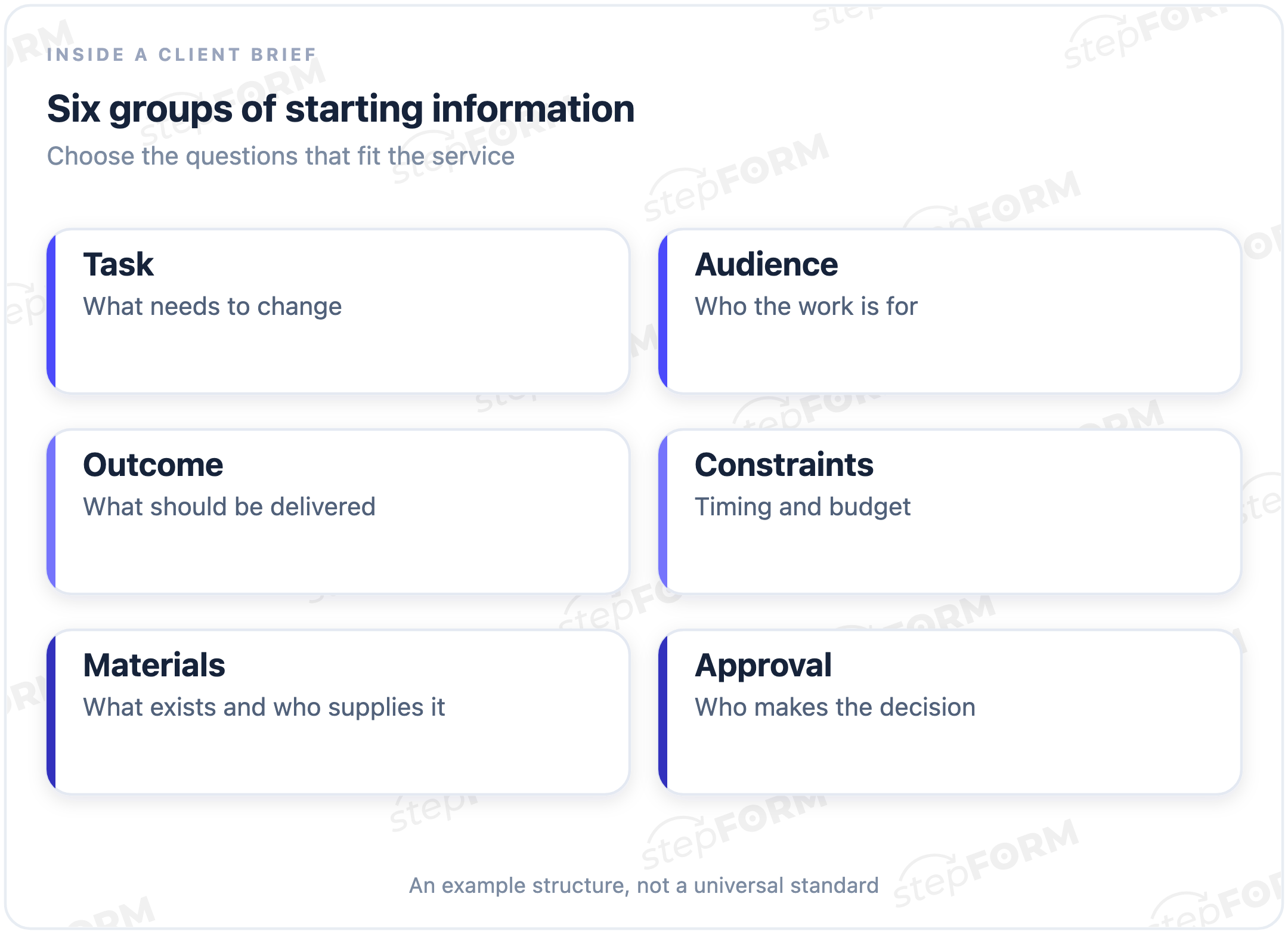
- The business problem. Explain what happens now and what should change. “Receive enquiries for family photo sessions” gives the provider more to work with than “look more modern”.
- Who the work is for, including the circumstances of their choice. Parents comparing studios may want to see previous sessions and find out whether the space suits children.
- The expected outcome: the pages, materials or other deliverables the client needs. Name what is outside the request too.
- Budget and timing. An undecided budget is still information. The provider needs to know about that gap rather than treat a made-up number as a decision.
- Existing materials, such as copy, photographs and brand assets. Identify who will provide anything missing.
- The people who discuss the task and approve the result. These may be different people. A contact name alone does not explain how approval will work.
A creative brief is a more specific brief for creative work. Asana's creative brief guide includes audience, messaging, deliverables and stakeholders among its components. Choose the parts that fit the job. A team refreshing a logo does not need the client's advertising budget unless advertising is actually part of the discussion.
A worked example: a photography studio website
Imagine a fictional studio ordering a small website. This example explains the term. It is not a customer case or a ready-made stepFORM template. The studio wants enquiries for family photo sessions, with its owner confirming dates and details personally.
| Question | Example client answer | What still needs checking |
|---|---|---|
| Why do you need the website? | To receive enquiries for family photo sessions | How enquiries arrive now and who handles them |
| Who will choose the service? | Parents with children visiting the studio for the first time | What they need to know before requesting a session |
| What should be delivered? | Three pages: home, portfolio and booking | Whether writing the copy is part of the provider's work |
| What are the constraints? | A preferred launch in six weeks, with budget undecided | What drives the date and when the budget will be decided |
| What materials are ready? | The owner will supply the logo and photographs | When those materials will be available |
| Who makes the decision? | The owner discusses the project and approves the result | How to get in touch and present work for review |
These answers do not specify how the website works, but they give the provider a starting point: three pages are expected, and nobody has agreed to a live booking calendar. The proposal needs to say that booking means sending a request, not reserving a confirmed time slot.
“In six weeks” is the client's preferred timing in this example, and the provider still needs to check scope, available materials and their own schedule before accepting it. Completing a form does not turn a client's preference into a team commitment.
A brief, a specification and a lead form
| Item | The question it answers | In the studio example |
|---|---|---|
| Client brief | Why is this project needed, and what is known so far? | The website should bring in family photo enquiries |
| Specification | What must be built, and what requirements must it meet? | The booking fields, where requests go and how the result appears |
| Proposal | What scope, price and terms does the provider offer? | The proposed work, cost and timing after discussion |
| Lead form | How can someone leave their contact details and interest? | A name, email and a short website enquiry |
An online brief uses form fields too, but its purpose is different: contact details let someone continue the conversation, while brief answers explain the task. Renaming a two-field contact form “Project brief” does not supply the missing context.
Small projects sometimes combine these documents. In that case, separate the initial preferences, agreed requirements and proposed terms clearly. A filename cannot tell a reader which points have already been discussed. Something the client wants and something the provider has agreed to deliver have different statuses.
What makes an answer useful?
“A beautiful website” gives the provider very little to act on. But asking the client to supply a finished professional concept is not much better. They are asking for help. Good questions draw out circumstances they know, without making them design the solution first.
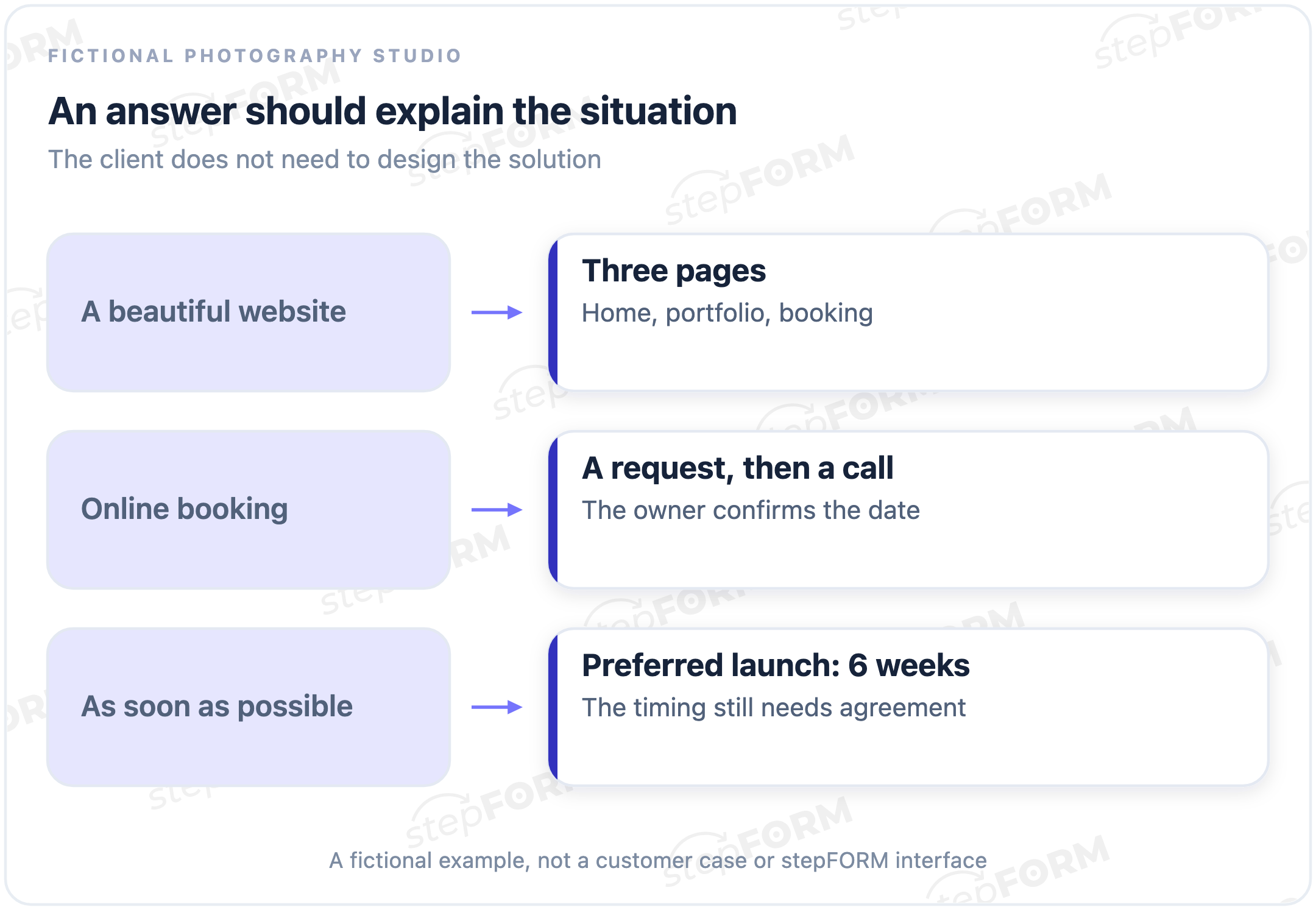
Instead of asking which functionality the studio requires, ask what should happen after someone chooses a session. “They leave a preferred date and I call them” tells you what booking means here. The next question concerns the owner's work, not the names of website modules.
A reference needs more than a link. Ask what the client likes in an example and what they would avoid, because a bare link leaves too much to interpretation. When someone does not yet know an answer, “discuss with the provider” is more honest than a random choice made just to get past a required field.
Using an online brief in stepFORM
In stepFORM, a brief can use text answers and choice fields. Leave space for the client to explain their situation, and offer choices where the service options are already known. Related questions can sit on separate pages. Putting them on different screens does not, by itself, make the answers more useful.
Test the fictional request before using your own form with clients. Can someone explain the goal, leave the budget undecided and say that the owner confirms bookings by phone? Check the received answer afterwards. A form does not automatically write a specification or confirm project approval.
Build your own brief in the stepFORM form builder, starting with the questions you need for the next conversation. The client questionnaire does not need to contain your service's entire technical description.
Frequently asked questions
Who writes a client brief?
The provider can prepare the questions and the client can supply the answers. Alternatively, both can discuss the request and record the starting information afterwards. Let each side check the record, especially where an answer affects the proposed scope.
Does the brief have to be completed before the first meeting?
No. If the task is still unclear, a short conversation can help select the questions. A detailed questionnaire sent too early may simply leave the client guessing unfamiliar terms.
What if the client has not set a budget?
Record that the budget is undecided and discuss possible scopes. Do not force a random number just to let the form submit. The provider may need further questions before preparing an estimate.
Does every small revision need a new brief?
For a continuation of an agreed task, refer to the existing starting information and record the change. Revisit the brief when the goal, audience or expected outcome changes. Keep a clear current version so people are not working from different answers.
Does submitting a brief confirm the order?
A successful submission shows that the system received the answers. It does not confirm that the provider has accepted the scope, price or deadline. The parties discuss those separately.
Further reading
- Elements and their settings: fields for collecting answers.
- Contact forms for websites: a practical guide to fields and receiving enquiries.