Lead generation explained: how a website turns visits into leads
What a lead is, where leads come from, how to work out cost per lead, and how forms, quizzes and calculators convert on real stepFORM forms.
Guides  Daria Lisovenko
1 October 2026
Reading time ≈ 14 min.
Daria Lisovenko
1 October 2026
Reading time ≈ 14 min.
Lead generation, put simply, is the work that ends with contact details of people who are ready to talk about buying. Each of those contacts is a lead: someone who left a phone number or email and told you what they need. Ads, search and social media bring people to your site, and a form, quiz or calculator is what turns a visit into a lead. How that form is built decides how many leads you get for the same ad spend.
We worked out the conversion rate of stepFORM lead forms over the last 90 days, meaning the share of form views that ended in a submission. The median is 5.7% for quizzes, 3.6% for one-screen forms and 1.4% for calculators. For quizzes and plain forms the spread inside each format is wider than the gap between them, while calculators trail well behind.
What a lead is
A lead is a potential customer who has left contact details and shown interest: asked for a quote, a call back or a site visit, or signed up for a webinar. They become a customer once they pay. Until then they can change their mind, go to a competitor or turn out not to be your buyer at all, which is why leads and customers are counted separately.
Leads are often sorted by how ready they are to buy. The split is rough, but it helps decide whom to call first.
| Lead | What you know | What to do |
|---|---|---|
| Cold | Left an email for a free resource | Send useful material and an offer when there is a reason |
| Warm | Is comparing options and asking about price | Reply the same day with a quote |
| Hot | Asks for a visit, an invoice or a booking | Get in touch straight away, before someone else does |
B2B teams also talk about MQLs and SQLs. A marketing qualified lead fits the customer profile. A sales qualified lead is one the sales team has accepted and is already discussing a deal with.
Where leads come from
There are plenty of channels, and nearly all of them lead to the same place: a page where people leave their details. The channel decides who arrives. The page decides how many of them leave a lead.
| Channel | How people arrive | What matters on the site |
|---|---|---|
| Search | They look for a solution themselves | The page answers the query and the form sits next to the answer |
| Paid search | They click an ad | The first screen repeats what the ad promised |
| Social ads | They see an offer in the feed, often on a phone | A short quiz that works on a small screen |
| Email and messaging | They come back through a link | The link opens the form directly |
| Offline | They scan a QR code on a flyer or a package | The form opens from a direct link, no website needed |
| Partners | They follow a link from another site | A clear offer for someone who has never heard of you |
Some ad platforms collect the contact inside the ad itself, without a visit to your site. That is convenient for the person, but they have only seen the ad and know less about you than someone who reached your site.
What turns a visit into a lead
On a website, a lead appears the moment someone submits a form. There are several formats, and each works differently.
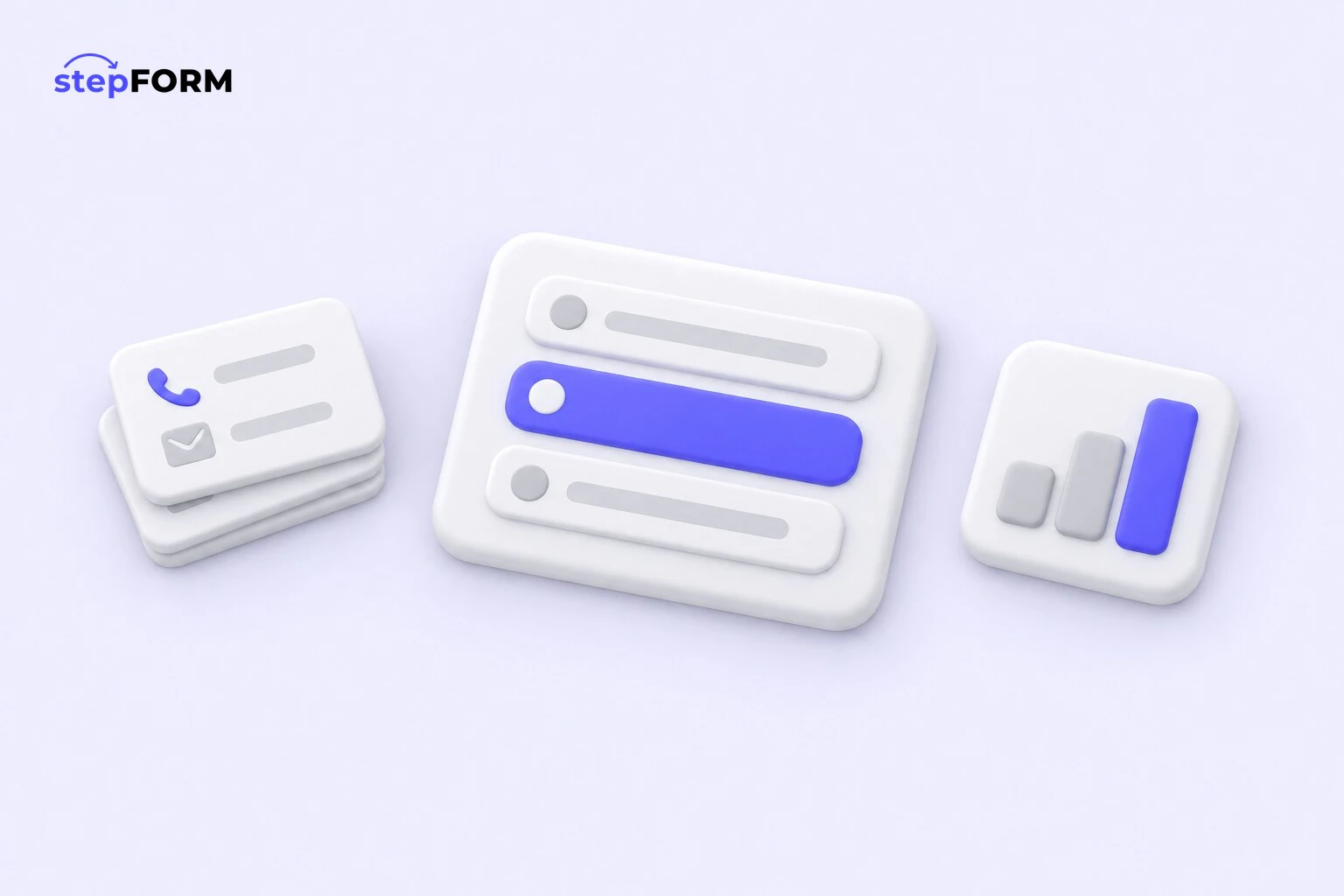
- A one-screen form. Name, phone, maybe a comment. Fast for people who have decided, and too little for people who are still unsure.
- A quiz. A few questions about the task, contact details at the end. People get something for themselves first, a match, a price or a plan, and leaving a phone number after five answers is easier than at the start. We covered how to build one in our guide to quiz landing pages.
- A calculator. Works out the price from the inputs: area, quantity, extras. Useful, though it collects contacts less often than the others.
- A pop-up. The same form, opening on its own after a pause or when someone is about to leave. See our guide to pop-up forms.
- A lead magnet. A checklist, a guide or a discount in exchange for an email. It brings lots of cold leads that need warming up later. More in our piece on lead magnets.
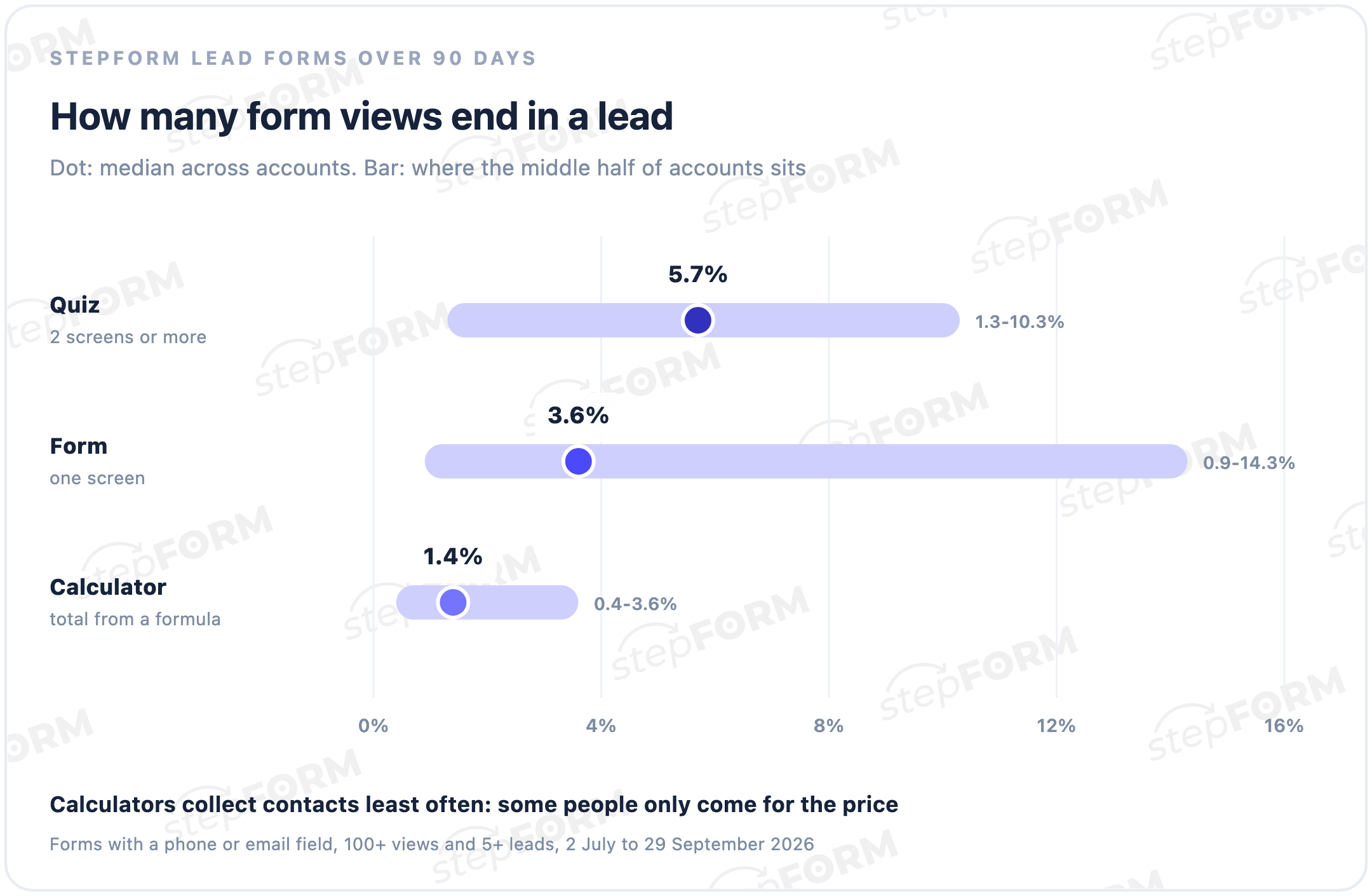
We took the median across accounts whose lead form, with a phone or email field, had at least 100 views and 5 submissions in 90 days. The bars show where the middle half of accounts sits. The plain form has the widest spread: the same setup gives some accounts 1% and others over 14%. The format sets the baseline. What a given form achieves depends on who visits it and what it promises them.
The business itself suggests the format: what does someone want to get before they pay?
| Business | What to offer | Format |
|---|---|---|
| Renovation, windows, roofing | A price range and a survey visit | A quiz with a price at the end |
| Clinic, salon, car service | A convenient appointment time | A short booking request form |
| Delivery, printing, cleaning | The exact price of the order | A calculator with an Order button |
| B2B equipment and services | A proposal | A request form with questions about the task |
| Online school, expert | A free lesson or checklist | A lead magnet |
Why calculators collect fewer contacts
A calculator solves the visitor's problem on its own. They see the price, compare it with what they expected and can leave without a word. That is probably why the median for calculators is four times lower than for quizzes: some people come only for the number.
Hiding the total behind a contact form is a bad idea, because someone forced to give a phone number to see a price may give a fake one. Ask for contact details where they bring something extra instead: send the quote as a file, hold the price for a week, book a free survey. The total stays visible, and the contact becomes the next step. Our guide to the website price calculator shows how to set one up.
How to measure lead generation
Three numbers are enough to start.
- Form conversion rate: submissions divided by form views, times 100%.
- Cost per lead, or CPL: what you spent on a channel divided by the leads it brought.
- Lead-to-sale rate: how many leads became customers. If one in five buys, a sale costs five times as much as a lead.
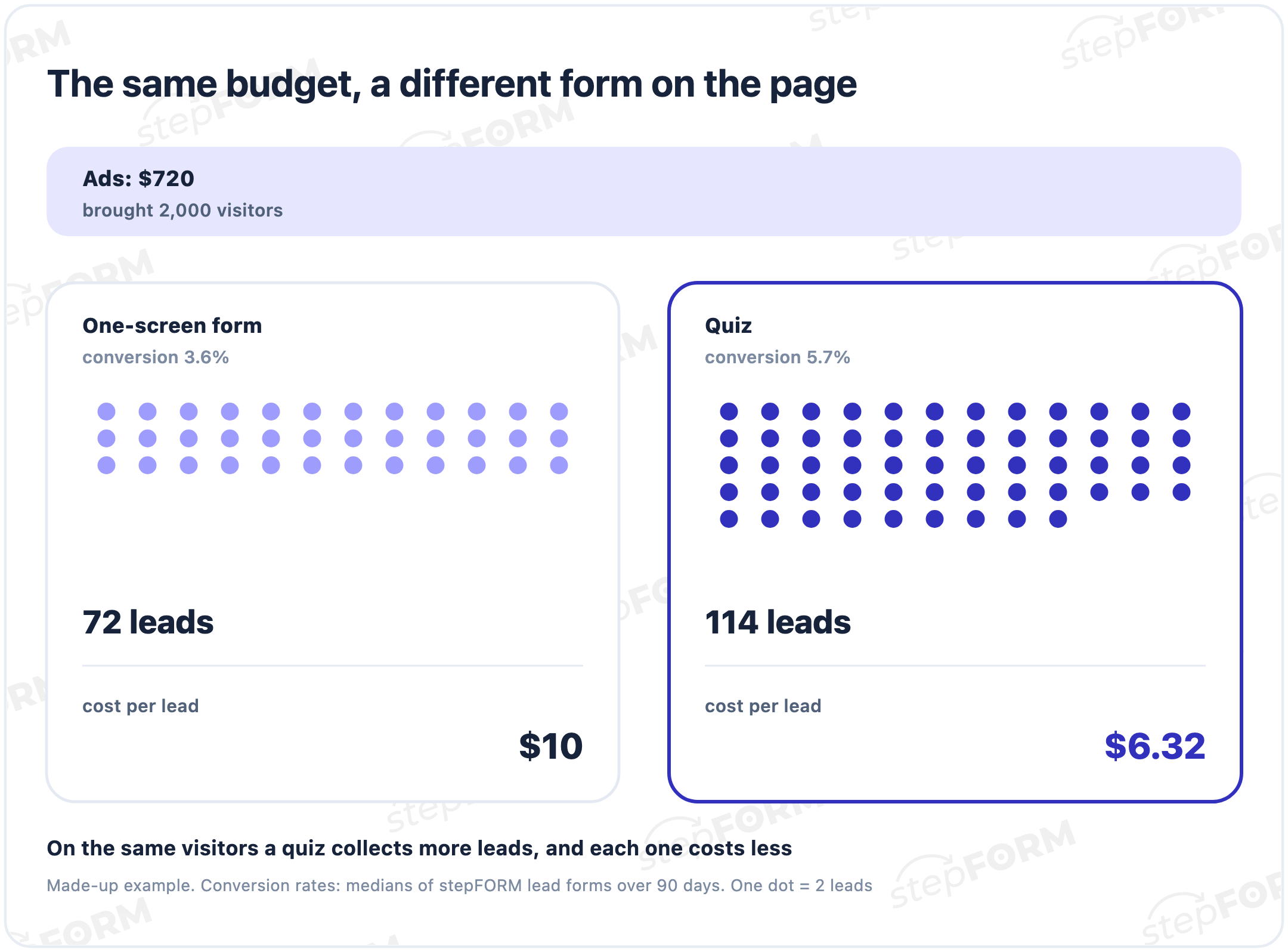
A worked example with made-up figures. You spend $720 on ads, and they bring 2,000 visitors. A one-screen form converting at 3.6% would collect 72 leads at $10 each. A quiz at 5.7% on the same visitors would bring 114 leads at $6.32. The ad budget is the same. The only difference is what sits on the page.
Measure each channel separately. An average cost per lead across all channels hides an expensive one behind a cheap one. Google Analytics or Yandex Metrica with a goal on form submission shows where each lead came from, and in stepFORM both come with the Beginner plan. If identical forms sit on different pages, add a hidden field with the page address to each, so every lead shows where it came from.
What to do with a lead next
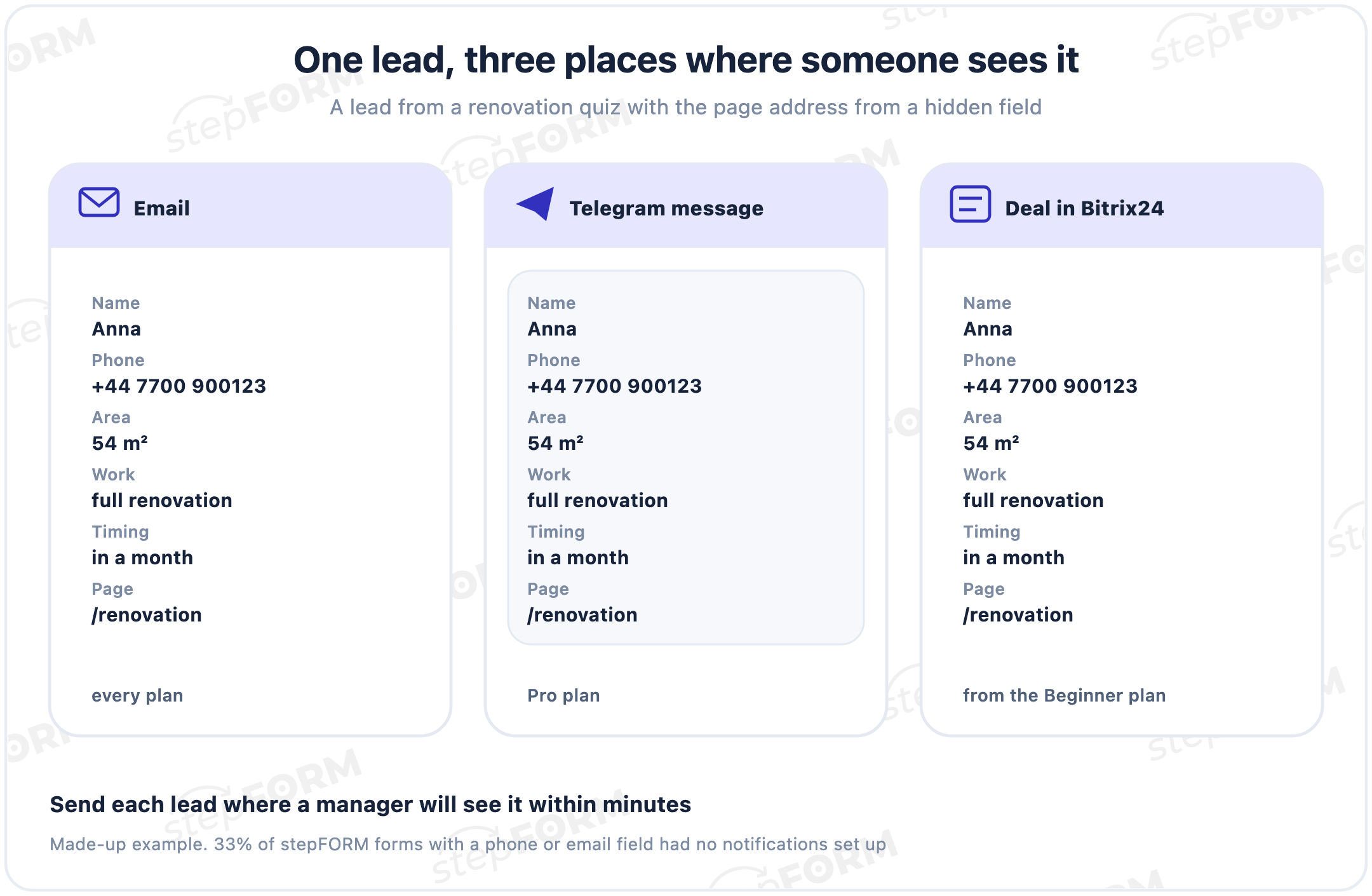
Leads go cold. The longer a submission waits for an answer, the more likely the person has already agreed with whoever called first. And submissions do wait: in our guide to building a sales funnel we found that 33% of stepFORM forms with a phone or email field had no notification set up at all. Their leads sit in the dashboard until someone happens to log in.
Decide where leads go before you launch any ads. In stepFORM, email notifications work on every plan, Bitrix24 comes with Beginner, and Telegram and webhooks with Pro. After submitting, people see a thank-you screen, and that is the place to say who will get in touch and when.
Example: leads for a renovation studio
Take a renovation studio that gets visitors from paid search. The setup could look like this.
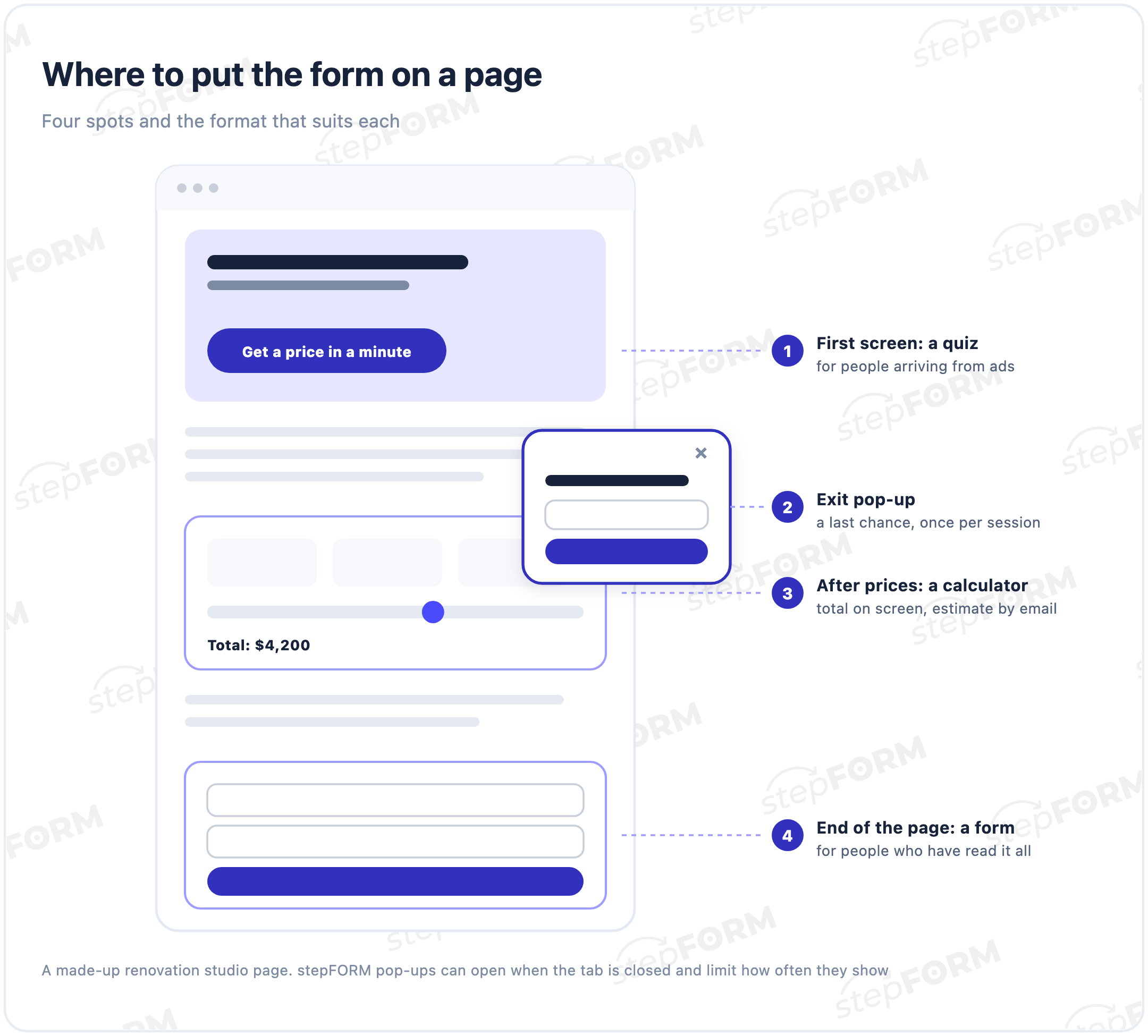
- The ad promises "Get your renovation price in a minute", and the first screen of the site repeats that promise.
- A quiz asks five questions: type of property, area, type of work, timing, and whether a design project is needed.
- The last screen shows a price range and offers to send a detailed estimate by email or messenger. The phone field and the privacy line sit right there.
- The lead goes to a manager in Telegram and to the CRM, and the manager calls back within 15 minutes to book a survey.
- A week later the studio checks how many people opened the quiz, how many left their details, how many agreed to a survey and what each step cost.
None of this needs a developer: the quiz, the price range and the notifications are all set up in the builder. If the quiz brings fewer leads than a plain form, shorten it or change the order of the questions, then compare again.
B2B and B2C lead generation
In B2C one person decides, often quickly. They need a form that works on a phone and asks nothing extra. 72% of stepFORM lead form views come from phones, so test every form on a smartphone first.
In B2B the cycle is longer and several people decide. The lead form asks for more: company, volume, timing. Quotes and proposals that someone can forward to their manager work well, and leads go straight into a CRM, where they are followed up for weeks.
Build your own or buy leads
You can collect leads yourself or buy them: lead generation agencies charge for each one. That is handy when you need to test demand quickly or have no ads of your own yet. Bought leads come with caveats.
- What counts as a lead. Agree on it up front: a contact with a working phone number and confirmed interest is worth more than a number typed into a form.
- Where the traffic comes from. Someone who searched for your service and someone who joined a giveaway buy at very different rates.
- Whether the lead is yours alone. The same contact can go to several companies, and then you compete for it with your rivals.
- What a sale costs. A cheap lead that never buys costs more than an expensive one that does.
Your own lead generation takes longer to launch, but every lead is yours, and you can see at which step people drop out.
Privacy and marketing consent
A lead form collects personal data, so it needs a privacy notice where the data is collected. Under the GDPR, a form that only answers a request does not need a consent checkbox, but marketing emails need their own empty, optional box. Details are in our guide to consent checkboxes on website forms.
How to set up lead generation in stepFORM
- Pick a format. A one-screen form is enough for people who have decided. A quiz suits people who are unsure. Where the price depends on inputs, use a calculator with a clear next step.
- Ask for contact details where the reason is obvious. At the end of a quiz, next to a calculated total, in exchange for a guide.
- Add a privacy line with a Text element and a link to your privacy notice, and a separate unticked Checkbox for marketing.
- Connect notifications: email, Bitrix24 or Telegram, depending on your plan.
- Set up the Thank You Screen with what happens next.
- Add analytics and goals to see conversion by channel.
- Put the form on your site with embed code, as a pop-up, or share a direct link for emails and QR codes.
You can start free: the Free plan includes 5 forms, 50 responses and 5,000 views a month. Beginner costs $11.20 a month billed annually or $14 monthly, Pro $20.80 or $26. Full details are on the pricing page.
Where leads get lost
- No offer on the first screen. People don't see what they get and leave before the form.
- Questions with no reason given. If the form asks for budget and timing, say why: to suggest the right option, not to charge more.
- The price held hostage. The calculator total only appears after a phone number.
- Leads go nowhere. That is the case for a third of forms with contact fields.
- A reply the next day. A hot lead has time to agree with someone else.
- No privacy notice. 46% of stepFORM forms with a phone or email field had no consent or privacy wording.
- No conversion data by channel. An expensive channel hides behind the average.
Frequently asked questions
What is lead generation in simple terms?
It is everything that brings you contact details of people ready to talk about buying: ads, search, social media and a form on your site where someone leaves a phone number or email. Each such contact with an interest in your product is a lead.
What is the difference between a lead and a customer?
A lead has left contact details and shown interest but has not paid yet. They become a customer after the purchase. That is why cost per lead and cost per sale are tracked separately.
How do I calculate cost per lead?
Divide what you spent on a channel by the number of leads it brought. For example, $720 of ads and 72 leads give a cost per lead of $10. Work it out for each channel separately, or an expensive channel will hide behind a cheap one.
What is a good form conversion rate?
As a benchmark from stepFORM lead forms over 90 days: the median is 5.7% for quizzes, 3.6% for one-screen forms and 1.4% for calculators. The spread is wide, so compare a form with its own past results first.
What lead generation tools can I use on a website?
A one-screen form, a quiz, a calculator, a pop-up and a lead magnet. They all collect contact details in different ways: a quiz gives a match or a price first, a calculator shows the price, a lead magnet hands over a resource in exchange for an email.
Why does my calculator bring so few leads?
It answers the price question on its own, and some people leave once they have the number. A clear next step helps: send the quote by email, hold the price, book a survey. Hiding the total behind a phone number does not.
Does a lead form need a consent checkbox?
It needs a privacy notice where the data is collected. Under the GDPR, a form that only answers a request does not need a consent box, but marketing emails need a separate, unticked, optional one.
How do I set up lead generation in stepFORM?
Build a form, quiz or calculator, add a privacy line and a marketing opt-in, connect notifications and a thank-you screen, and put the form on your site. You can start on the Free plan.