Ad lead forms or website forms: which should you use?
Compare native ad lead forms with website forms. Choose a destination for your offer and measure qualified leads, buyers and advertising costs with a worked example.
Guides  Daria Lisovenko
6 October 2026
Reading time ≈ 13 min.
Daria Lisovenko
6 October 2026
Reading time ≈ 13 min.
A lead form collects someone's contact details and information about their request. It can sit on your website or, where the advertising platform supports it, open directly from an ad. Native forms shorten the route to submission. A website gives you room for explanations, examples and a price estimate. Choose according to what a prospect needs to understand before enquiring, then compare qualified leads and buyers.
In an illustrative comparison, one report shows a lead costing 500, the other 1,000. The first looks easier to defend. But if six people buy from the first group and ten from the second, with the same advertising spend, the cheap leads stop looking like an obvious win. What happened to those leads? Cost per lead needs that second column.
The glossary explains what a lead form is. The choice is when to keep the enquiry inside the ad platform, when to send someone to your website and how to judge the result.
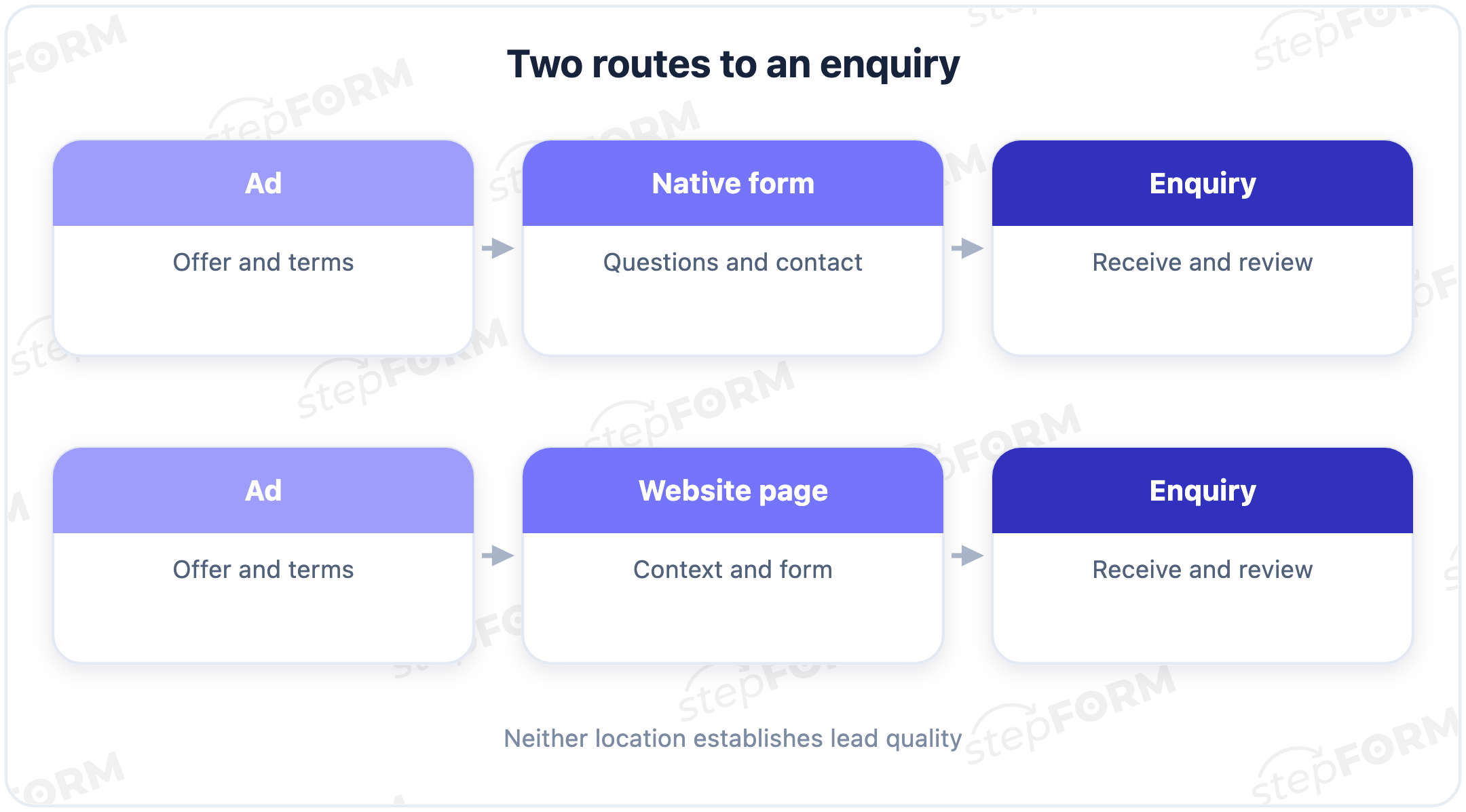
Two routes from an ad to an enquiry
A native ad form opens within the advertising platform, so the prospect does not have to load a separate website, find your offer and locate the button again, but your description and questions must fit the available format. Explain what happens next. Fields, contact verification and lead delivery depend on the platform.
With a website form, people can review your work, understand the terms or compare options before asking for a conversation, but they have to make an extra transition. The page needs to load well on a phone. It also needs to continue the offer made in the ad.
A standalone form shared by link also opens outside the ad platform, even if there is no full website behind it. stepFORM supports that type of publishing. Treat it as a separate landing destination in your comparison, not as a native form built into an advertising account.
For example, Google Ads describes lead form assets that collect information directly from an ad. Eligibility depends on the country, business category and account requirements. Check your account's current rules before planning a campaign around that format.
Compare the requirements before choosing
| Question | Native ad form | Website form |
|---|---|---|
| Does a short explanation cover the offer? | Useful for a clear request if the offer fits the available format | Room for terms, examples, documents and answers to objections |
| Does the prospect need a price estimate? | Check what the specific platform supports | You can place your own calculator beside the enquiry form |
| Who controls the questions? | The advertising platform sets the limits | The chosen form builder and its settings determine your options |
| How does an enquiry reach the team? | Configure one of the supported lead delivery methods | Check saved responses and the chosen notification or integration |
| Where can the journey fail? | Opening, submitting, receiving and reviewing the enquiry | The site visit and page load, followed by the same form stages |
| What should guide the decision? | Cost per qualified lead and buyer, the team's workload and the value of the order | |
A website gives you more space. How will you use it? If a window installation ad sends people to a homepage covering ten services and leaves them to reconstruct the offer, a native form with clear terms could be more helpful. Get both routes into a usable state before judging them.
When a native ad form is worth testing
Start here when an ad and a short description explain the request well enough for a prospect to know why they are leaving contact details and a few answers give the team enough information to continue. That might mean booking an introductory meeting, asking about stock for a named product or requesting a callback about one service.
In an illustrative example, an installer fits air conditioners in one city. The ad names the service and area, while the form asks about the type of premises and requests a phone number to discuss installation without promising an exact price before the installer knows anything about the property. A long page might add an unnecessary step. Check that against enquiries and orders.
You might test a native form while your website is unfinished, provided the offer is clear and someone can handle enquiries. It is a way to begin testing demand. Decide where prospects can find the full terms and who will answer their questions rather than leaving those tasks until after the first submission.
Check questions and lead delivery before launching. Google Ads lists qualifying questions and delivery options. A form's ability to accept a submission does not establish that your employee will receive it without a separate setup.
When the website earns the extra step
Use a website when the buying decision needs information that is awkward to fit into a short ad form. Custom furniture needs materials, dimensions and examples of past work. Business equipment can require specifications and an explanation of how the quote is calculated. A prospect may need that context before being ready for a call.
Suppose a company is choosing surveillance equipment for a warehouse. “Leave your number” does little to help someone compare systems, whereas a page can explain differences between packages, show the limits of an estimate and invite a quote request based on floor area and the zones to cover. The contact details complete a request with context.
When price depends on order size, a calculator can return a preliminary amount from the entered parameters, provided you have configured the relevant formula. Does a specialist need to provide the price? Say so. A button promising an instant estimate should not lead only to a phone number field.
A longer page still cannot guarantee better leads. The wrong audience can reach it, and useful conditions can be buried where visitors never see them. Give the page a specific job: explain what someone needs for this decision, with a form next to the relevant information.
Match the offer, the button and the next screenA cheap lead can become an expensive buyer
Cost per lead, or CPL, divides advertising spend by the number of leads. What counts as a lead? Agree on that first, because successful submissions, unique genuine enquiries and qualified leads use different denominators, and a report counting every repeat submission cannot be compared directly with one counting only new enquiries.
Two further calculations help with the decision: advertising spend per qualified enquiry and per new buyer. A qualified lead meets the business criteria you wrote down in advance. A submitted phone number does not establish that. Someone needs to check the answers and record the review outcome.
The following numbers are illustrative. These are invented groups for checking the arithmetic, not a customer case study or a test of advertising platforms. Each route spends $60,000 on ads. After removing spam, team tests and repeat submissions, the native form has 120 unique genuine enquiries and the website has 60. Every enquiry receives an initial review under the same rules. New buyers from each enquiry group are counted over equal observation windows.
| Metric | Native ad form | Website form |
|---|---|---|
| Advertising spend | $60,000 | $60,000 |
| Unique genuine enquiries | 120 | 60 |
| Qualified enquiries | 36 | 30 |
| Qualified share | 30% | 50% |
| New buyers | 6 | 10 |
| Cost per enquiry | $500 | $1,000 |
| Cost per qualified enquiry | About $1,667 | $2,000 |
| Advertising spend per buyer | $10,000 | $6,000 |
The first calculation is 60,000 / 120 = 500 per enquiry. The second is 60,000 / 36, about 1,667 per qualified request. Up to this point, the native form looks cheaper. But 60,000 / 6 = 10,000 in ad spend per buyer, compared with 60,000 / 10 = 6,000 for the website.
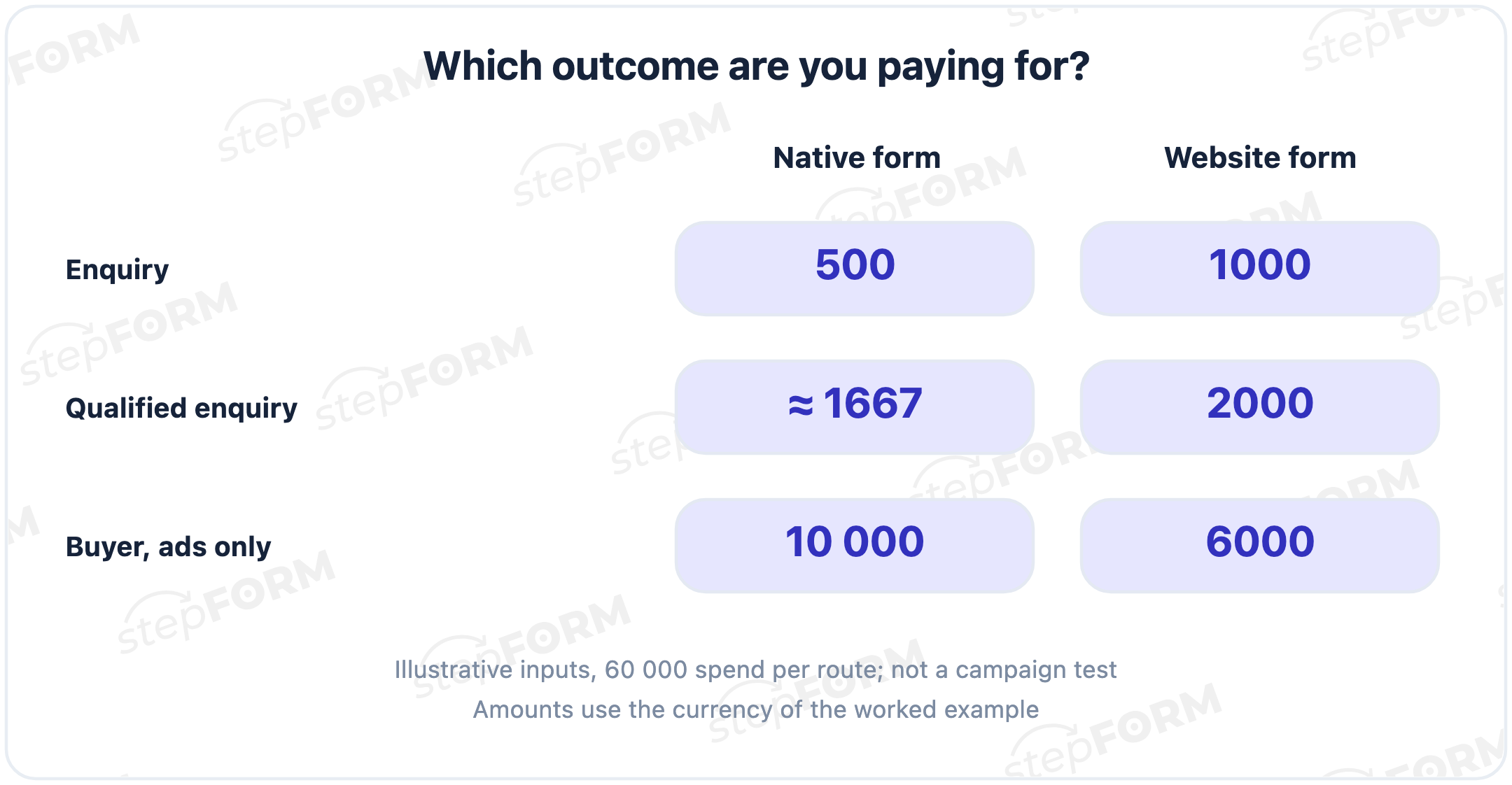
Those numbers describe the invented groups. They do not prove that websites always win; other inputs could favour the native form, and spending 6,000 per buyer does not establish profitability without considering the order margin, repeat purchases and other costs.
The final row is not full customer acquisition cost, or CAC: it includes advertising only, leaving out staff time, the form service and producing campaign materials, which you must add under consistent rules to compare total acquisition expenses. Check returns and cancellations too if they change the value of the orders.
Ask questions that help the team judge fit
A field earns its place when the answer changes what happens next. Location tells you whether you serve the property. The type of request helps you choose the right specialist. Order size supports an initial estimate. A question whose answer nobody uses adds effort for the visitor without a clear result.
For an apartment renovation, useful questions might cover the area, floor size and type of work, while for business equipment they might cover what is required, how much and when. If a buyer does not know the budget yet, “I need an initial estimate” is more honest than a required number they will guess. Discuss the missing details later.
Write the same criteria for both routes. For example: the property is in your service area, the requested work is a service you provide and a next conversation has been agreed. Record “no answer to the first call” separately rather than treating it automatically as a poor-fit lead. Otherwise your assessment of an audience can depend on when someone happened to call.
Show enquiries that still await review as a separate group. A high qualified share among five reviewed records does not describe a cohort of fifty. You need consistent rules and comparable review coverage to judge sources, followed by equal observation windows for purchases.
Test both routes without rushing the verdict
Compare one offer for comparable audiences. If the native form advertises a promotion while the website shows the regular price, you are testing both the discount and the destination, so you cannot attribute the result to the form alone. The same problem arises with different regions, devices, times or levels of buying intent.
If the advertising system lets you randomly split a comparable audience in an experiment, use that option. If your campaign conditions do not allow it, describe the result as a campaign comparison. It can inform a decision, but it does not isolate the form's effect. Matching the budgets is not enough for a causal claim.
- Record the offer, qualification criteria and observation window. Choose the main outcome before starting.
- Check both routes in separate test scenarios: submission, saved response and receipt by the employee. Exclude tests from campaign reports.
- Record the source, enquiry date, initial review result and purchase status. Limit access to contact details to the people who need them for their work.
- Wait for the chosen observation period, then compare the complete groups. One good day or one order does not settle the decision.
There is no universal lead count that makes this test conclusive. It depends on the starting rates, the difference you want to detect and the sales cycle. With few purchases, show event counts next to percentages and treat the conclusion as preliminary. Half of two buyers and half of two hundred look the same as percentages. They offer very different support for a decision.
A review log can contain source, date, a non-identifying enquiry reference, reviewed or pending status, qualification result, rejection reason, purchase and purchase date. Keep contact details in a protected working system rather than a shared campaign discussion sheet. Use the same rules for assigning purchases to sources when calculating spend per buyer.
Where stepFORM fits
stepFORM helps with the part of the journey you control: a form on your page, a quiz or a price calculation. Its element settings cover inputs, choice fields and buttons. Build around a specific offer rather than trying to squeeze every service into one questionnaire.
For an installation enquiry, collect the parameters needed for the first reply and a contact method. For a quote, add order parameters and a configured formula if the pricing model supports a preliminary amount. A service selector needs questions about the problem someone is trying to solve. Those routes share a marketing objective but need different questions.
Set up the response after submission separately. The documentation describes a thank-you page where you can explain the next step. “A specialist will call during business hours” is useful if the team actually works that way. That text does not assign responsibility or confirm that the call happened. The team needs to set up its response process separately.
For setup, see the website contact form guide. After configuring your form, check the path from the page to the saved response and your chosen notification method. Then record enquiry quality and purchases in your working system. Submission statistics cannot replace that review.
Do not treat stepFORM as an advertising account or assume it provides a ready connection to every ad platform. Delivery from a native ad form needs its own check. Here, the builder helps you prepare your own form. It does not choose the winning destination.
Take one current offer and write down what a visitor needs to understand, which answers your team needs for the first conversation and how you will judge the advertising result. Then build a form for that offer in stepFORM. Place examples and a calculation beside it if the decision needs them. If a short request is enough, start there.
Frequently asked questions
Can I collect enquiries without a full website?
Yes, if a suitable native ad form or a standalone form page is available. Check where the visitor will find the terms and information about data handling, how you will receive enquiries and who will review them. Having a form does not replace those tasks.
How should I count someone who enquires through both routes?
Set rules for merging repeats and assigning a source before comparing unique enquiries. One person with one request should not become two new leads. Different genuine requests from an existing customer may still need separate records.
What if leads arrive but sales are still in progress?
Compare initial reviews and qualified enquiries, showing the share that still awaits review. Measure purchases later, after an equal observation window for each group. An unfinished deal should not automatically count as lost.
Should I ask for a phone number and email together?
Request the contact details needed for the promised reply. Explain when the next conversation will be by phone. An extra channel makes sense if your team will use it. There is no mandatory contact combination for every service.
When should I move lead collection from ads to a website?
Test a website when prospects need detailed terms, examples, package selection or a calculation before enquiring. Compare qualified enquiries and buyers against the native form. Creating a website alone does not establish that moving the form will improve results.