
Pre-employment tests: what to check and how to build your own
Which pre-employment tests to give candidates, sample questions for sales, bookkeeping and front desk roles, legal limits in the US and how to build a scored test.
Guides  Daria Lisovenko
18 November 2026
Reading time ≈ 14 min.

A pre-employment test screens out applicants who cannot handle the basics of the job before you spend time on interviews. Short tests of 8 to 12 questions work best when they check what the role actually needs: calculations for a bookkeeper, written English for a receptionist, order handling for a sales rep. Personality quizzes and questions about health, family or plans for children do not belong in screening, and in the US some of them are restricted by law.
Why test candidates
A sales or support opening can attract dozens of applicants. Interviewing all of them takes days, and a resume says little about whether someone can work out a discount or spot a mistake in an order.
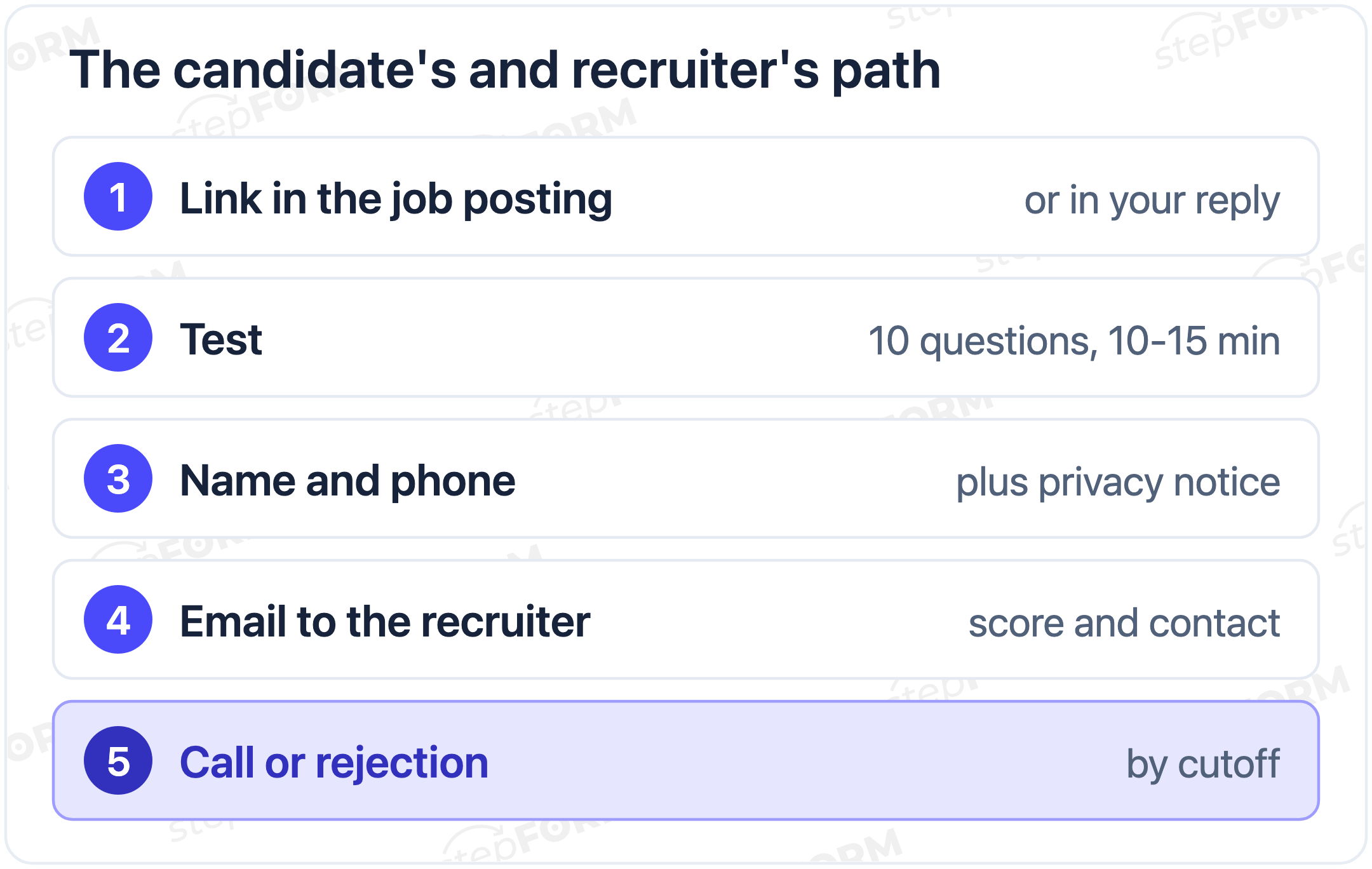
That is the job of a short test linked from the job posting. The candidate spends 10 to 15 minutes on it, you get a score and contact details, and the people who come to the interview have already shown they can handle the basics. A test does not replace the interview. It sorts the queue in front of it.
It works the other way too. A good test shows candidates what the work looks like. Someone who realizes it is not for them may drop out without taking up your time.
Types of pre-employment tests
| Test | What it checks | When it fits |
|---|---|---|
| Job knowledge | What the role needs: bookkeeping, Excel, sales basics | Almost always, this is the core test |
| Numerical and logic | Percentages, ratios, patterns | Roles with numbers: cashier, warehouse, finance |
| Attention to detail | Finding an error in an order, checking data | Support, front desk, inventory |
| Written communication | Spelling, grammar, a short business message | Anyone who writes to customers |
| Situational judgment | What the candidate would do in a work situation | Sales, service, team leads |
| Work sample | A real piece of work: copy, a layout, a spreadsheet | Designers, writers, analysts, after the first screen |
| Personality | Traits and temperament | Risky as a reason to reject, see below |
One or two types are enough for the first screen. Give a sales rep numbers and attention to detail, a bookkeeper job knowledge and Excel. Keep the work sample for the second round: it takes hours, and asking every applicant for one is unfair to them.
Sample questions for three roles
Three questions with answers for each role. They show the format. For your own test, take tasks from the real work at your company.
Sales rep
- Discount. A product costs $1,200 and the customer gets 15% off. How much do they pay? Answer: $1,020.
- Attention to detail. An order reads "3 units × $145 = $425". Is there a mistake? Answer: yes, it should be $435.
- Situation. A customer says: "Your competitor is cheaper." What do you do first? Options: lower the price right away, ask which offer they are comparing with, suggest they think it over and call back. You decide the right answer based on your own sales playbook. In our example it is asking what the customer is comparing with.
Bookkeeper
- Proration. Monthly salary is $4,000, the month has 20 working days and the employee worked 15. How much salary is due for the month? Answer: $3,000.
- Accounts. Which account shows money that customers owe the company? Options: accounts payable, accounts receivable, retained earnings. Answer: accounts receivable.
- Excel. Which formula adds up cells B2 to B10? Answer: =SUM(B2:B10).
Receptionist
- Written English. Which is correct: "The clinic changed its opening hours" or "The clinic changed it's opening hours"? Answer: its.
- Checking data. A client gave the number 555-0148, the record says 555-0184. Do they match? Answer: no, the last two digits are swapped.
- Situation. A client is booked for 3 pm and the specialist is running 20 minutes late. What do you do? Your own procedure sets the right answer, for example letting the client know in advance and offering to wait or rebook.
For a 10-question sales test, a workable mix is four calculations, three attention checks and three situations, all worth the same. Otherwise the test picks good calculators and leaves you without anyone who can talk to customers.
Legal limits in the US
Testing candidates is legal in itself. The risk lies in what you ask and how you use the results. The US Equal Employment Opportunity Commission (EEOC) sums up the federal rules in its guidance on employment tests.
- No discrimination. Title VII allows employment tests as long as they are not designed, intended or used to discriminate based on race, color, religion, sex or national origin. Scores cannot be adjusted, and cutoff scores cannot differ, on those grounds.
- Disparate impact. A neutral-looking test that disproportionately screens out a protected group is unlawful unless it is job-related and consistent with business necessity. Even then, the EEOC advises switching to an equally effective alternative with less adverse impact if one exists. A test built from tasks of the actual job is easier to defend than a generic one.
- Disability and health. Under the ADA, an employer may not ask disability-related questions or require medical examinations until after a conditional job offer. The EEOC lists psychological tests that assess mental health among medical examinations.
- Validity. The EEOC recommends making sure tests are valid for the positions they are used for and updating them when job requirements change. The employer stays responsible for this even when the test comes from a vendor.
Source: EEOC, Employment Tests and Selection Procedures, checked on November 18, 2026. Outside the US, local equality and data protection laws apply as well. This is an overview, not legal advice. Check your own situation with a lawyer.
How many questions and what passing score
Candidates owe you nothing yet. A long test is easy to abandon halfway, especially for someone who applied to five other jobs that day. For a first screen, 8 to 12 questions and 10 to 15 minutes are enough.
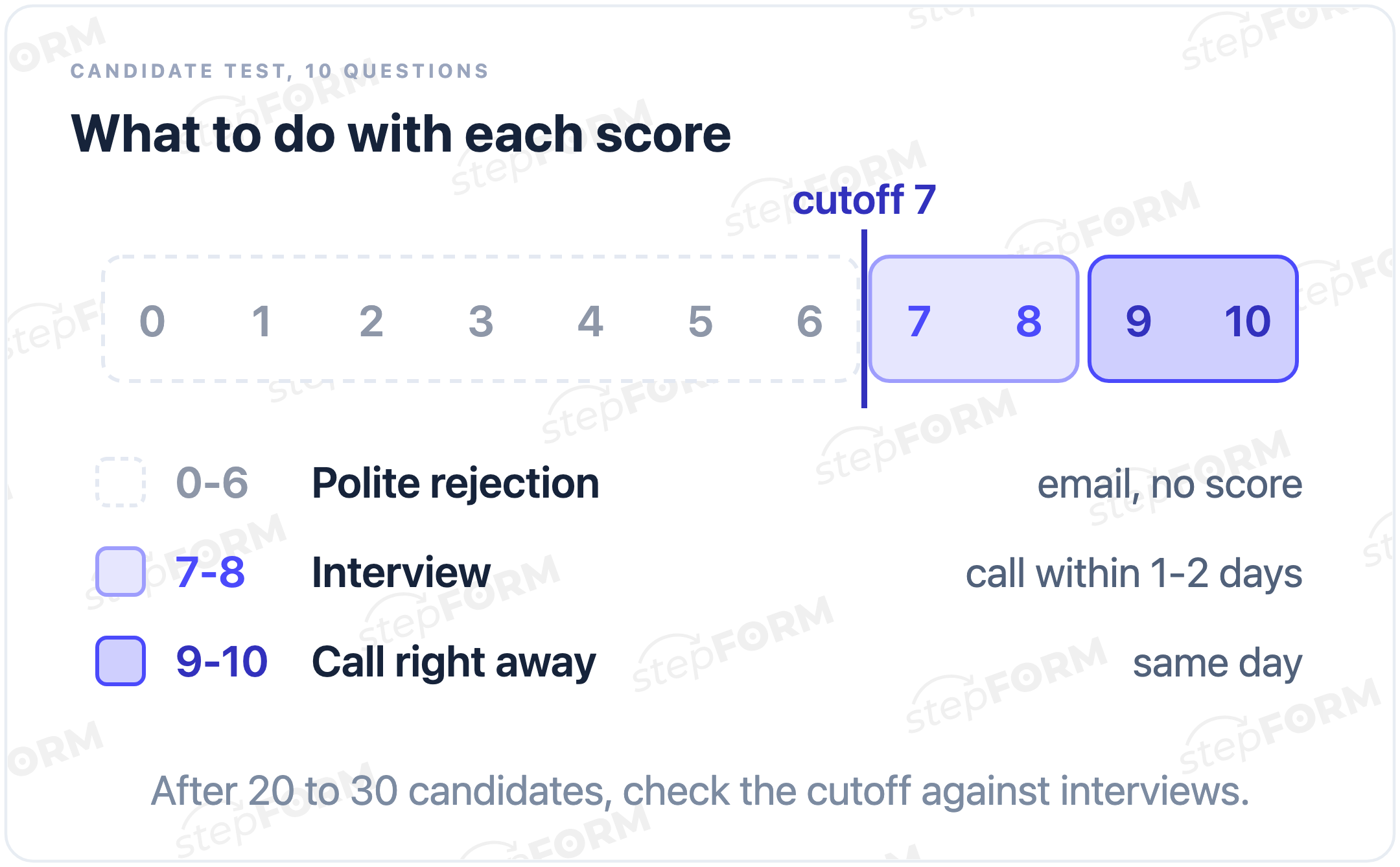
Set the cutoff by the cost of a mistake in the role. For a sales rep, 7 out of 10 is reasonable: a calculation error gets caught at checkout or by a senior colleague. For a bookkeeper, raise the bar, since a payroll mistake takes weeks to fix.
Treat your first cutoff as a draft. Look at the results of the first 20 to 30 candidates and at how the people you invited did in their interviews. If strong people keep scoring 6, the cutoff is too high or one of the questions is badly worded.
You do not have to show candidates their score. The Thank You Screen after submission can simply say what happens next: "We will review your answers and call you within two business days."
How to build the test in stepFORM
The sample test takes three pages: questions on the first two, contact details on the third. That fits the Free plan: 3 pages, 30 elements and 50 responses a month.
- Questions. Create a form in the test maker. Use Radio button for every question, calculations included: for the discount task, offer $1,020, $1,080 and $1,140. Digital input does not work for scoring, because the formula receives the number the candidate typed, not a point. In each question's general settings, turn on Random display so "the second option" cannot be passed around.
- Scoring. Add a Formula element to the last page. In the Field Values block, give the correct option of each question 1 and the others 0, then add up the question variables in the Formulas block. See the help article on setting up a formula.
- Hidden score. Hide the Formula element in its general settings so the candidate does not see their score. Then turn on Take in account responses from hidden fields in Logic jump: according to the help center, hidden field data is not emailed without this setting. Send a test response and check that the total appears both in the Responses tab and in the notification.
- No going back. In the button block at the bottom of the pages, turn on Hide "Back" button so candidates cannot return to questions they have already answered.
- Contact details and privacy notice. Put required Name and Phone fields on the last page. A privacy notice is turned on in the submit button settings under Additional → Privacy Policy. Write your own text with your company name.
- Notifications. In the Settings tab, turn on an email for every response. This works on all plans, and on Pro notifications can also go to Telegram.
- Publishing. Copy the direct link from the publishing section and add it to your job posting or your reply to an application. When the position is filled, switch on Hide form in the Settings tab.
You can also add a knock-out question. If one wrong answer rules a candidate out, for example on cash handling rules, a Logic jump can send them straight to the contact page. The score is still saved.
Where to see the results
Every submission lands in the Responses tab with the name, phone, answers and total score. On the Free plan you view responses without filters or export, which is fine for a couple of dozen candidates. Filtering and CSV or XLSX export start on the Beginner plan. In a spreadsheet you can sort candidates by score once applications run into the hundreds.
Look past the total, too. If almost everyone gets one question wrong, including people who later did well in the interview, the question is probably unclear. Rewrite it.
A candidate can open the link again and retake the test. The help center does not describe a built-in attempt limit. Repeat attempts show up as the same phone number in Responses, and you can count the first one. A hidden score also makes retakes less useful: the candidate does not know how they did.
Prices on the day we checked: Beginner is $11.20 a month billed annually or $14 billed monthly, with 200 responses and 10 pages. Pro is $20.80 and $26, with 1,000 responses. Current terms are on the pricing page.
What to tell candidates before and after
People take a test more calmly when they know why it is there and how long it will take. Three short messages answer most of their questions.
Invitation. "Thanks for applying. Before we meet, please take a short test: 10 questions, about 15 minutes. The questions are about tasks you would handle every day. Link: …. Please complete it by Friday."
Interview invitation. "You did well on the test. Could we meet on Wednesday or Thursday, between 11 am and 5 pm? What time suits you?" Call high scorers on the day they finish: a strong candidate is most likely talking to other employers at the same time.
Rejection. "Thank you for taking the time to do our test. This time we invited candidates whose test answers matched the role more closely. If you would like more detail, reply to this message." The last sentence is optional, but it keeps the door open for questions.
Do not quote the score or list mistakes in a rejection unless the candidate asks. A number without context sounds like a verdict on the person. In fact it reflects their answers to ten questions.
What this approach cannot do
- No timer. You cannot limit the time for the test with built-in tools. Speed tests where pace is the point need a specialized service.
- No proctoring. A candidate can search online or ask someone. That is acceptable for a first screen, and key skills get checked at the interview anyway.
- Work samples with files. If candidates need to send a layout or a spreadsheet, you need the File Upload element, available from the Beginner plan. See our guide to file upload forms.
Common mistakes
- An hour-long test. At the first stage nobody wants to give you their evening. Cut it to 10 questions and ask the rest in person.
- Questions that are not about the job. "How many children do you have" and "Do you have any chronic conditions" do not help you choose and create legal risk.
- A test copied from the internet. A generic logic test checks logic in general. A task from your own price list checks what the job needs.
- Silence after the test. The candidate spent time and is waiting. Even a short "thank you, we chose another candidate" protects your reputation as an employer.
- A cutoff nobody revisits. After a month, compare scores with how new hires actually perform. A test that screens out good people is worse than no test.
FAQ
Is it legal to test job candidates?
Yes, in the US employment tests are allowed as long as they are not designed or used to discriminate. If a test disproportionately screens out a protected group, it has to be job-related and consistent with business necessity.
Can I include a personality or psychological test?
Under the ADA, psychological tests that assess mental health count as medical examinations and cannot be required before a conditional job offer. Ordinary personality tests are not medical exams, but they say little about whether someone can do a specific job, so situational questions are a safer choice.
How many questions should a pre-employment test have?
For a first screen, 8 to 12 questions that take 10 to 15 minutes are enough. Candidates may abandon a long test, and you can cover details in the interview.
Should candidates see their score?
It is not required. With a hidden score there is less reason to retake the test, and the Thank You Screen can simply say when you will be in touch.
Can I set a time limit?
stepFORM has no timer. You can only close the test manually: when the position is filled, switch on Hide form in the Settings tab.
What passing score should I use?
Start with about 70% for roles where mistakes are easy to catch and raise it for roles like bookkeeping. After the first 20 to 30 candidates, compare scores with interview results and adjust.
Can I build a candidate test for free?
Yes. A 10-question test with contact fields and scoring fits the Free plan: three pages, 30 elements, 50 responses a month. Filtering and Excel export start on the Beginner plan.


 Dmitry Molchanov