
File upload form: documents and photos without email and messengers
How to add a file upload form to your website: photos, print artwork, documents and contest entries. What to ask alongside the file, limits, formats and why it beats email.
Guides  Daria Lisovenko
16 November 2026
Reading time ≈ 12 min.

A file upload form takes a file from a client together with their contact details and answers: photos of a room to price a renovation, artwork for a print shop, a contest entry, a CV. In stepFORM this is the File Upload element. It is available from the Beginner plan: up to 10 MB per file and 100 MB of disk space for as long as you use the service. The sender needs no account, and the response stores a link to the file next to the other fields.
When you need a file upload form
A file is rarely useful on its own. A print shop needs the print run and deadline as well as the artwork. A builder needs the floor area and address as well as the kitchen photos. The form gathers all of it into one request, so nobody has to ask again in a message thread.
| Who collects | Which file | What to ask alongside it |
|---|---|---|
| Renovation and fit-out | Photos of the room, floor plan | Floor area, address or area, what needs doing, preferred dates |
| Print shop and manufacturing | Artwork as PDF, drawing | Quantity, size, material, deadline, delivery |
| Events and contests | Entry, photo, presentation | Name, category, title of the entry, permission to publish |
| Hiring | CV | Role, experience, start date |
| Design | References, photos of the space | Task, style, budget, timing |
For hiring and design we have separate guides to the questions: the job application form and the design brief. This article is about receiving the files.
Why a form beats email and messengers
Email and messengers feel simpler: "just send the photos over". The trouble starts around the fifth request. A file arrives with no note, you guess the sender's name from the address, half the clients forget the attachment, and the other half reply in a messenger, where the thread with the artwork sinks among other chats.
A form flips the order. The client answers the questions first, then attaches the file, and with a required file field the request cannot be sent without it. Everything arrives as one response: contact details, order details and a link to the file. The manager opens one record and no longer has to check three channels.
Why not Google Forms
Google Forms has file upload too, and you can set the maximum file size and number of files. But two things matter when you work with clients. First, to answer a file upload question a person has to sign in to a Google Account, as the Google help article says. Some clients have no account or would rather not use it on someone else's site. Second, the files go into a folder on the form owner's Google Drive, which needs enough space.
For an internal survey of colleagues that hardly matters. For a form on your website, where strangers arrive, the sign-in requirement loses some requests before they are sent.
How to build a file upload form in stepFORM
The example below is for a print shop: the client sends artwork and order details.
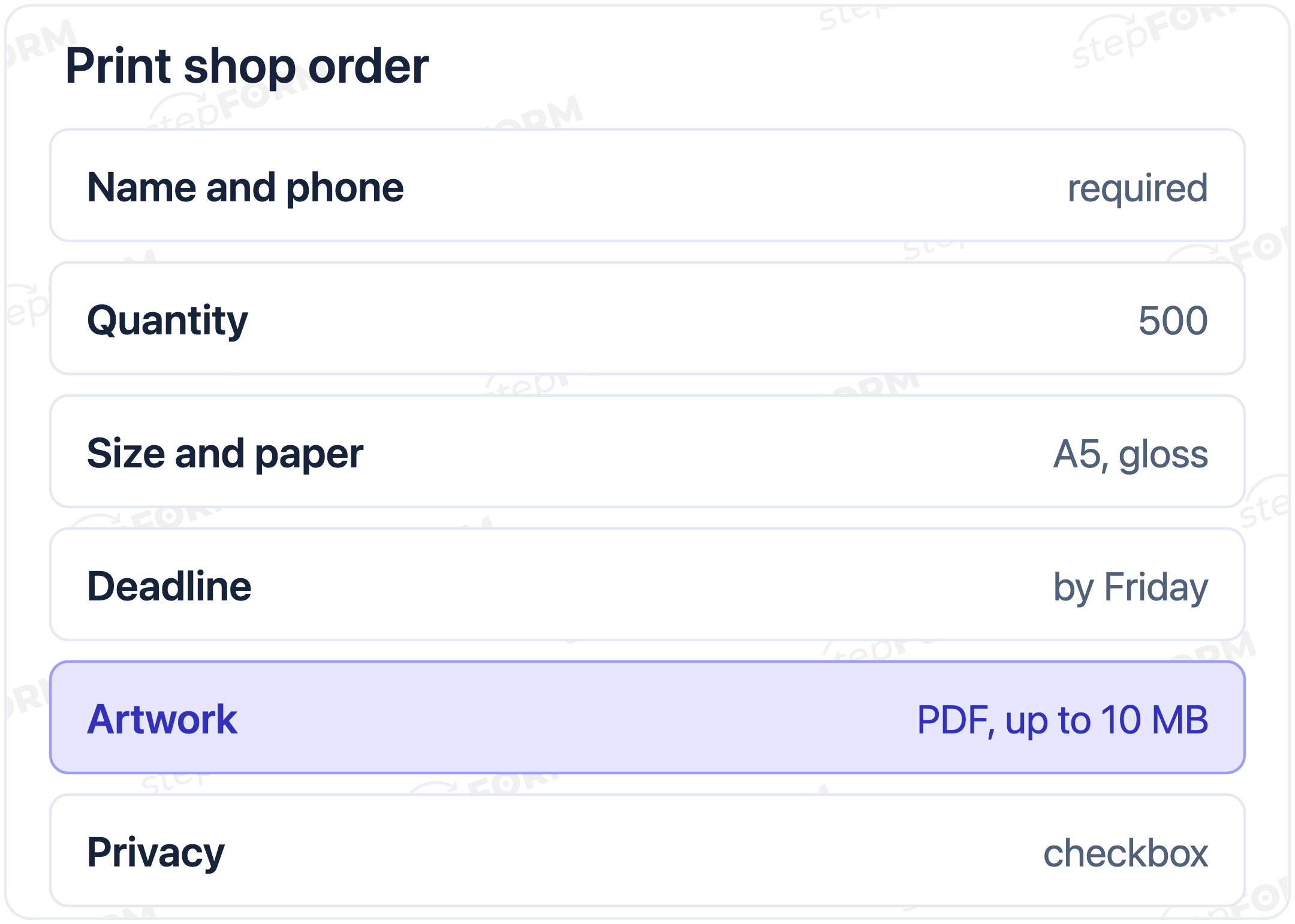
- Contact details. Create a form. Add Text input for the name, plus Mobile and Email: the last two check the format automatically.
- Order details. Ask for the quantity with Digital input, size and paper with a Drop-down list, the deadline with Date and time. To show a rough price straight away, add a Formula, as in our article on a price calculator for your website.
- The file. Add a File Upload element. If you need several files with different purposes, such as artwork and a logo, give each its own field, so the response shows which is which. In the field description say what you need: "Artwork as PDF, up to 10 MB".
- Formats. Click the gear icon on the element and open the File types section. All formats are allowed by default. Switch off the groups you do not need: for artwork keep documents with PDF and images, for CVs keep documents only.
- Required or not. If you cannot process the request without the file, make the field required. If the file is welcome but optional, leave the field optional and say in the description where to send it later, for example as a reply to the confirmation email.
- Large files. On Beginner a file can be up to 10 MB, on Pro up to 30 MB. Video, heavy artwork and photo archives may not fit. For those, add a Text input asking for "A link to the file in cloud storage".
- Privacy. Files can contain personal data: a photo of a flat with its address, a CV. Link to your privacy notice and add a checkbox where needed, as described in our article on the GDPR consent checkbox.
- Test it. Submit the form yourself from a phone and a computer with a small file attached: deleted files do not free up disk space. Open the Responses tab and check that the file link is there and opens.
Three ready forms: what to ask
Renovation quote from photos. Name and phone. Town and area. Type of property: flat, house, office. Floor area in m². What you need: a refresh, a full renovation, specific jobs. When you want to start. Photos of the room, up to three in separate fields. A floor plan if you have one. That is enough to give a price range and book a survey.
Print shop order. Name, phone, email. What we are printing: business cards, flyers, brochures. Quantity. Size. Paper. Any finishing. Deadline. Artwork as PDF. A separate checkbox: "I need help with the artwork". That last box pulls its weight: it splits clients with a ready file from those who need a designer.
Contest entries. Entrant's name, plus age or school year for a children's contest. Category from a list. Title of the entry. The entry file. Agreement to the privacy notice and a separate permission to publish the entry. For a children's contest, ask a parent for the contact details.
What to tell the client after the upload
A person has sent a file and does not know if it arrived. Tell them straight away. After submission stepFORM shows a Thank You Screen, and its text is set in the settings of the Send button. Be specific: "We have your artwork. We will check it and call you back by 6 pm". A vague "Thanks, we will be in touch" leads to repeat calls asking whether you got it.
From the Beginner plan you can send the client an autoresponder to the email they gave in the form. That helps when checking takes more than an hour: the client keeps a dated confirmation.
If you collect contest entries
Contests have their own mechanics. The deadline is firm: once it passes, turn on Hide form in the Settings tab, and the link shows a placeholder. State the "one entry per person" rule in the form description in advance, and weed out duplicates by name in the Responses tab. The response limit counts too: Beginner allows 200 responses a month, which may not be enough for a large contest.
Be most careful with disk space here. A hundred photos of 2 MB each take up 200 MB, more than Beginner has. For a photo contest it is better to ask for a link to the file in cloud storage and use upload only for light entries: drawings as JPG, texts as PDF.
Where the files end up and how many fit
Every request lands in the Responses tab. It shows the name, the answers and a link to the uploaded file. Email notifications about new requests can be switched on in the Settings tab on every plan, and Telegram notifications are available only on Pro.
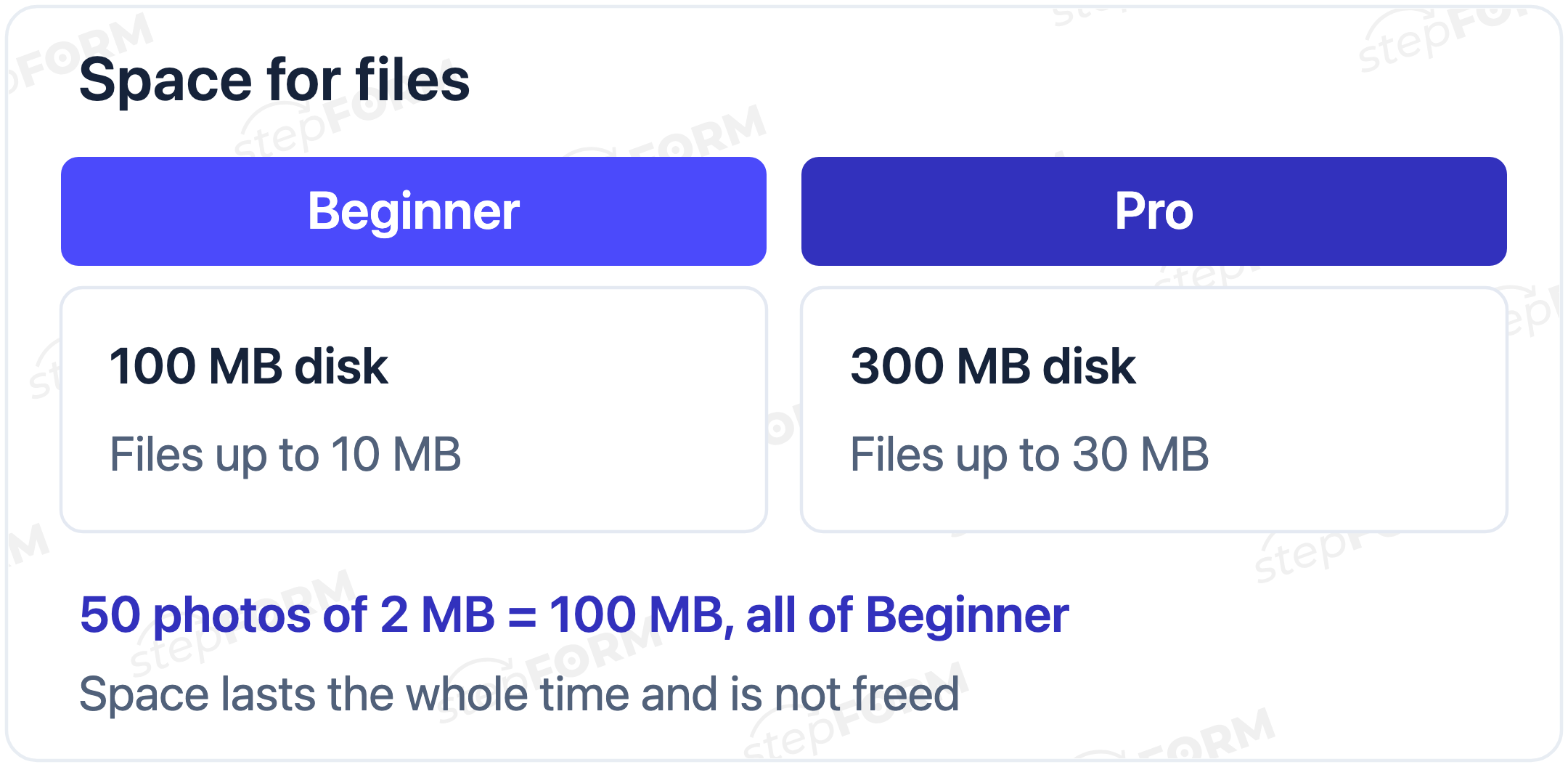
Before you launch, remember one thing: disk space does not reset each month and is not freed when files are deleted. The Russian help article on attaching files says so explicitly. On Beginner you get 100 MB, on Pro 300 MB. Work it out in advance: 50 photos of 2 MB each already take 100 MB. If you need more space, the help article suggests contacting support.
That gives a practical rule. Small files you need right in the request (a CV, a business card layout, a couple of photos) come through the upload field. Heavy or numerous ones (a video walkthrough of a flat, an event photo archive) come as a cloud link.
Which formats you can accept
According to the help article on attaching files, the element accepts five groups of formats:
- Documents: txt, csv, doc, docx, rtf, pdf and related Word formats.
- Spreadsheets: xls, xlsx, ods and other Excel formats.
- Images: jpg, jpeg, png, gif, tif, tiff, bmp.
- Archives: zip, 7z, rar.
- Video and audio: mp4, mov, avi, mp3 and others.
Keep only the groups you need open. If you expect photos and a client sends a 9 MB archive, you are the one who has to deal with it.
Which plan you need
| Plan | Price per month | Files |
|---|---|---|
| Free | $0 | No file upload. You can ask for a cloud link with an ordinary text field |
| Beginner | $11.20 billed annually, $14 billed monthly | Files up to 10 MB, 100 MB disk, 200 responses a month, autoresponder |
| Pro | $20.80 billed annually, $26 billed monthly | Files up to 30 MB, 300 MB disk, 1,000 responses a month, Telegram notifications |
Prices and limits were checked against the pricing page on 16 November 2026.
Common mistakes
- One field for everything. The client uploads three files with different purposes, and nobody can tell the artwork from the logo.
- All formats open. Instead of a PDF you get a link in a txt file or an archive that will not open on the manager's phone.
- No size hint. The client tries to send a 200 MB video, gets an error and leaves.
- A file with no questions. The artwork arrives, and the quantity and deadline are chased by phone again.
- Disk space not planned. A month later the photos have filled all 100 MB, and there is no room for new files.
Checklist before you launch
- Questions about the order come before the file field.
- Each document has its own field, with format and size in the description.
- Unneeded format groups are switched off.
- There is a cloud link field for heavy files.
- The privacy notice is linked, with a checkbox where needed.
- A test submission with a small file from a phone worked, and the link opens from Responses.
- Disk space is estimated for the whole collection period.
Frequently asked questions
How do I add a file upload form to my website?
In stepFORM add a File Upload element to the form, choose the allowed formats under the gear icon, say in the description which file you need, and publish the form as a link or embed code. The element is available from the Beginner plan.
Does the client need an account to upload a file?
Not in stepFORM: the form opens by link, and the file is attached without signing in. In Google Forms a file upload question requires signing in to a Google Account.
What is the maximum file size?
On Beginner up to 10 MB per file and 100 MB of disk for the whole time, on Pro up to 30 MB and 300 MB. For larger files, ask for a cloud link.
Can I accept files for free?
The File Upload element works only on paid plans. On the free plan you can ask for a cloud link with an ordinary text field.
Where do I find the uploaded files?
In the Responses tab: each request stores a link to the file next to the other fields.
Is space freed when I delete files?
No. According to the Russian version of the stepFORM help article, disk space is given for the whole time you use the service and is not freed when files are deleted. To raise the limit, the help article suggests contacting support.
How do I accept several files from one person?
Add a separate File Upload field for each file and label what you expect: "Kitchen photo", "Floor plan". That way the response shows which file is which.
Which files can be uploaded?
Documents (pdf, doc, docx and others), spreadsheets (xls, xlsx), images (jpg, png and others), archives (zip, rar, 7z), video and audio. Unneeded format groups can be switched off in the element settings.

 Dmitry Molchanov