
How to generate a test with AI without missing its mistakes
Generate a test with AI: a prompt for questions and an answer key, a checklist for the key, scoring and result screens, and how to build the test in stepFORM.
Guides  Daria Lisovenko
29 October 2026
Reading time ≈ 13 min.

An AI chatbot writes a first draft of a test fast: questions, answer options and a key. ChatGPT, Gemini or Copilot will do it in a couple of minutes if you give them a topic, a source and a format. A draft is not a finished test, though. The marked answer can be wrong, two options can both be correct, and the wording can give the answer away. So the work splits into three parts: the AI writes, a person checks the key, and a test builder adds up the scores and shows the result.
We use one worked example throughout: a fractions test for 11-year-olds. We picked the topic because any mistake in it is easy to spot without a textbook. The example is made up. It is not a report on any particular AI tool. The same steps work for a test on company procedures for new staff, a product quiz for sales teams or a safety check.
What AI does well, and what you have to check
AI saves time on the dull part: twenty question stems and three plausible wrong options for each. Facts are harder. A model sounds just as confident when it is wrong, and without a source it may not tell the right answer from one that only looks right. Think of it as a keen intern: quick and sure of itself, and you still check its work.
| Task | AI | You |
|---|---|---|
| Draft questions on a topic | Fast, in any quantity | Pick the useful ones and remove repeats |
| Write wrong options | Good, if you ask for plausible ones | Make sure they really are wrong |
| Mark the correct answer | Sometimes gets it wrong | Check every key against the source |
| Set the difficulty | Goes by words like "easy" and "hard" | Decide what difficulty means for this group |
| Stick to your material | Only if the text is pasted into the prompt | Paste in the chapter, policy or manual |
| Share the test, score it, keep the answers | Does not do this | A test builder |
The last row matters more than it looks. A chatbot gives you the text of the questions, but it will not send a link to your class, add up thirty students' scores or keep their answers. For that, the test goes into a builder.
A prompt for generating a test
The more precise the request, the less you fix later. Copy the fields below and replace the examples in the right-hand column with your own.
| Prompt field | What to write |
|---|---|
| 1. Role and audience | You are writing a test for 11-year-olds. Use plain words and no terms beyond the school syllabus. |
| 2. Source | Use only the text below. If the text does not contain the answer, do not write the question. [Paste the chapter, policy or manual.] |
| 3. Goal | The test checks whether a student can compare fractions and find equivalent fractions. |
| 4. Number and type | 10 questions, each with 4 options and exactly one correct answer. |
| 5. Wrong options | Wrong options should be plausible: typical student mistakes, not random numbers. |
| 6. Key and explanation | After all the questions, give the key as a separate list: question number, answer letter and a one-line explanation. |
| 7. Restrictions | Do not use "all of the above" or "none of the above". Do not give the answer away in the wording. The correct option must not be the longest one. |
A separate key list is not there for neatness. When answers sit right under each question, they are easy to mix up while you copy the test into a builder, and a separate key is easier to check line by line.
Keep personal data out of the prompt: no students' names, no employees' answers. The AI only needs the learning material.
Where AI gets it wrong: what to check in the draft
The mistakes in a generated test repeat, so a checklist catches them well. Here is how they look in our fractions example.
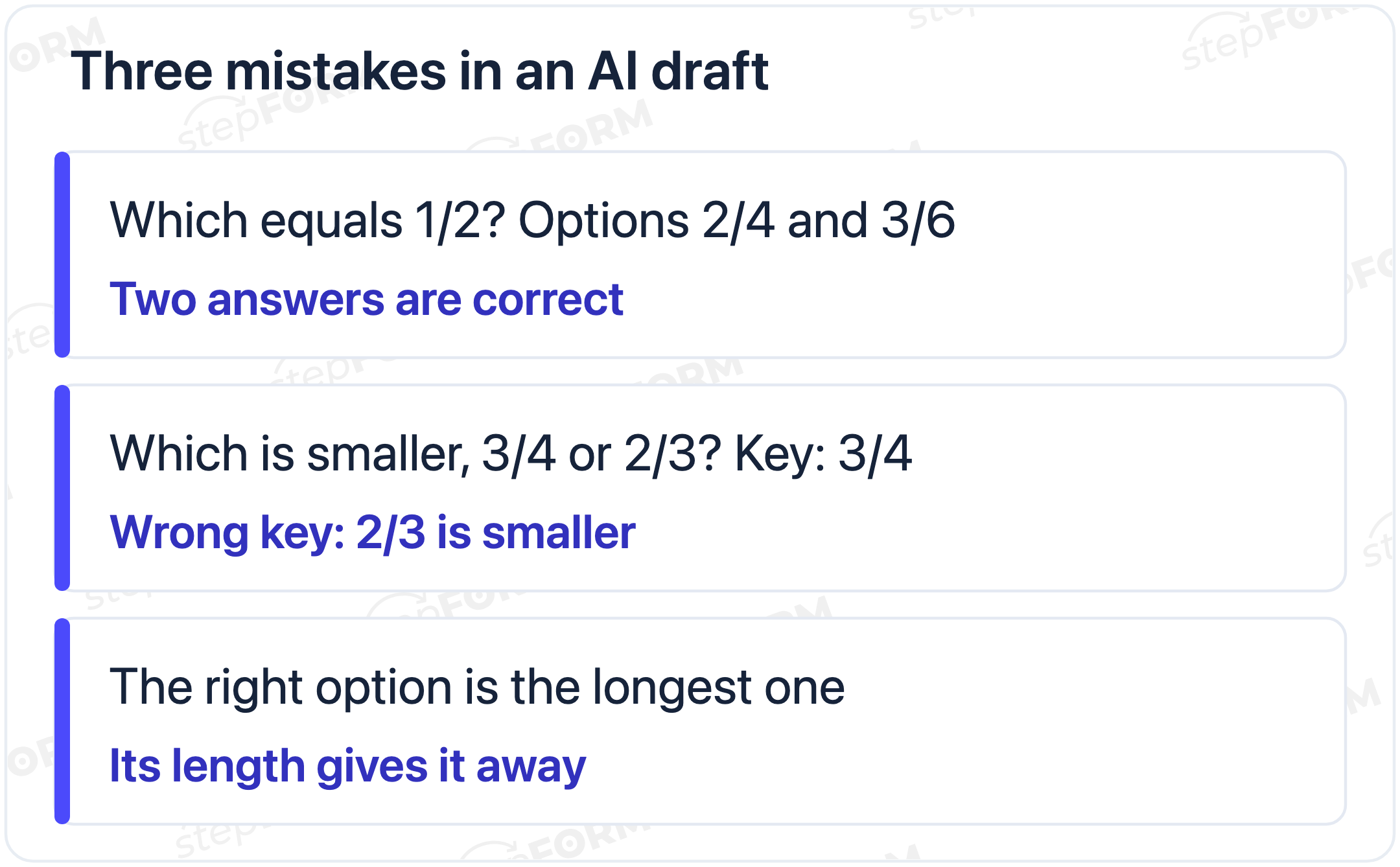
| Check | What to look for | Example of the mistake |
|---|---|---|
| 1. The key is right | Solve each question yourself or find the answer in the source | The key says 3/4 is smaller than 2/3 |
| 2. Only one answer is correct | None of the wrong options is also right | "Which fraction equals 1/2?" with both 2/4 and 3/6 as options |
| 3. No giveaways | The correct option is no longer or more detailed than the rest | Only the right answer has a note in brackets |
| 4. Wrong options are plausible | They look like real mistakes | "One hundred" as an option in a fractions question |
| 5. Based on the source | The answer is in your material, not just in the model's general knowledge | A question on a topic the chapter does not cover |
| 6. No repeats | Two questions do not test the same thing in different words | "Compare 1/3 and 1/4" and "Which is bigger, 1/4 or 1/3?" |
| 7. Answer positions vary | The correct option is not always in the same place | Option B is right in eight questions out of ten |
The seventh check is easiest to handle in the builder: in stepFORM, an element with options can show them in random order, and the order changes each time the form opens. Only a person can do the first six. For ten questions this usually takes less time than writing them from scratch, but do not skip it: a test with a wrong key marks down the people who answered correctly.
If there are many mistakes, do not fix them one by one. Ask the AI to rewrite the question from the same source, or narrow the topic. A broad request like "a maths test for year 6" almost guarantees questions on things you have not covered.
One question before and after the check
This is what a question from a draft might look like:
| AI draft | After the check | |
|---|---|---|
| Question | Which fraction equals 1/2? | Which fraction equals 1/2? |
| Options | A) 2/4; B) 3/6; C) 2/3; D) 1/4 | A) 2/4; B) 3/5; C) 2/3; D) 1/4 |
| Key | A | A |
| What changed | Option B also equals 1/2, so two answers are correct | 3/6 replaced with 3/5: it looks close to the right answer but is not equal to 1/2 |
The mistake is easy to miss: the key is right, and at a glance the question looks fine. A student who picked 3/6 answered correctly and still gets zero. So check the key and every wrong option too.
How to ask the AI to fix its draft
Sometimes it is faster to send the draft back with a follow-up than to edit it by hand. A few requests that help:
- "Solve each question again, show the working, then compare it with your key." The model sometimes catches its own mistakes this way, but not all of them, so your own check still stands.
- "Check whether any question has a second correct option." Useful for topics with equivalent values, synonyms or dates.
- "Move the correct answers so they are in different positions." Then again, the builder can shuffle the options anyway.
- "Make three levels: 4 easy, 4 medium and 2 hard questions." This makes the result thresholds easier to set.
If the AI insists on a wrong answer, do not argue with it in the chat. Fix the key yourself and check it against the source.
How to build the checked test in stepFORM
stepFORM has no built-in AI, so you copy the questions from the checked draft by hand. From there the builder does what a chatbot cannot: it gives you a link to the test, adds up the scores, shows the result and keeps the answers. The steps:
- Questions. Add each question with one correct answer as a Radio button element and copy in the options. In the element settings, turn on random order for the options.
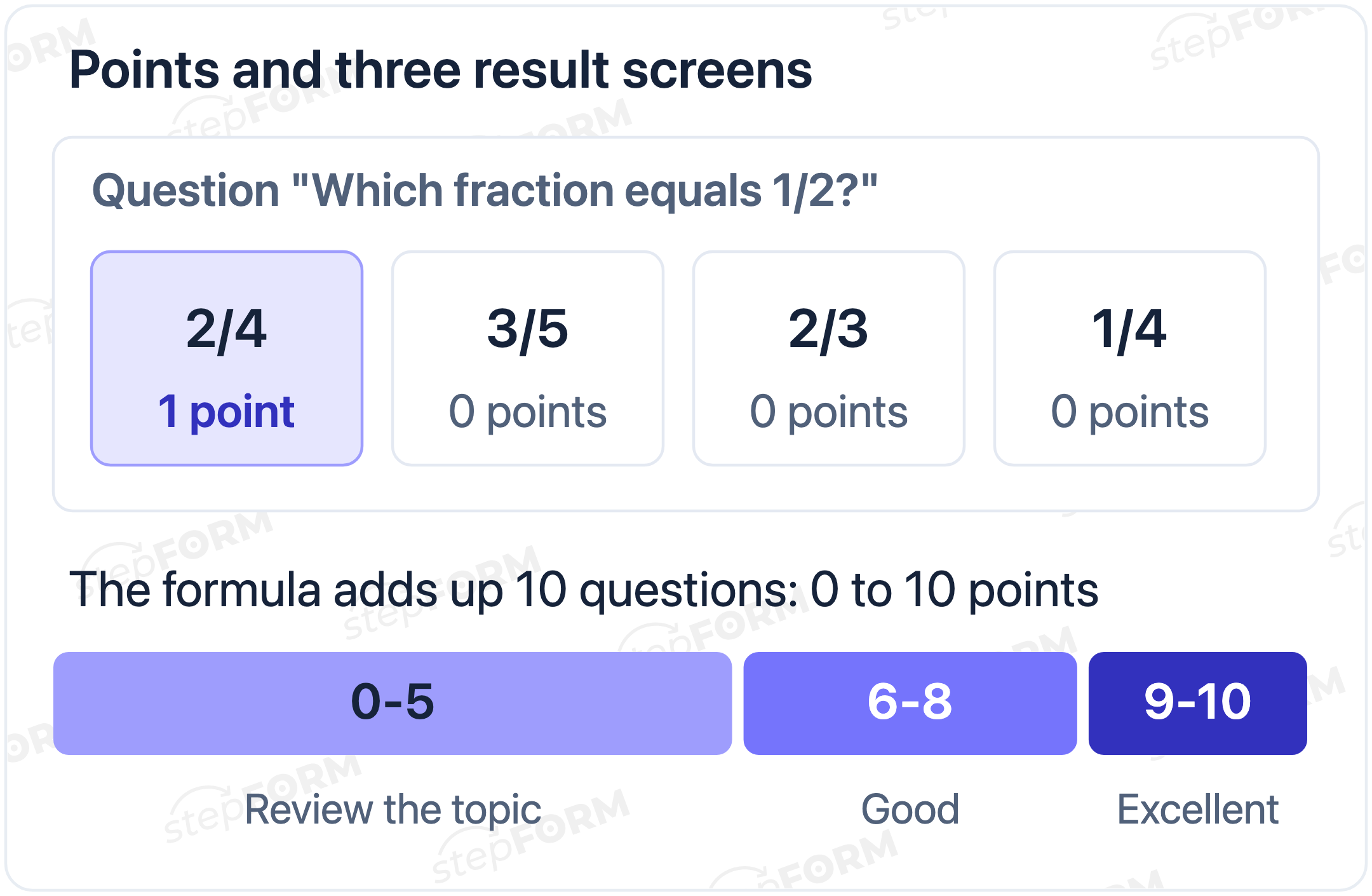
- Points. Open the formula editor. In the Field Values block each option has a value: set 1 for the correct answer and 0 for the others.
- Total. In the formula, add up the values of all the questions. The result of the formula is the test score.
- Results. In Logic Jumps, set conditions on the score, for example 9-10, 6-8 and 0-5, each leading to its own result page with a comment.
- Test run. Take the test three times: all answers right, all wrong, and a mix. The score and the result screen should match what the key predicts.
- Share. Send the link or embed the test on your site with code. Answers are stored with the form, and CSV and XLSX export comes with the Beginner plan.
If this is your first test, the basics are in our guide on how to create an online test for free. For a staff test, see our piece on testing employees online, which covers pass marks and reviewing results.
Questions with a number answer
Not every question works with options. "How many twelfths are there in 3/4?" has no options, just the number 9. In stepFORM, an input field with the Numbers only setting suits this, and the formula scores it with a condition: if the answer is 9, the question gives 1 point, otherwise 0. stepFORM formulas support logical expressions. Ask the AI to flag which questions it suggests asking with a typed answer and to give the exact number for each.
Typed answers have their own risk: the same answer can be written in different ways, as a fraction, a decimal or a number with units. Phrase such questions so the correct answer is one whole number.
Who this approach suits
- Teachers running regular quizzes: ten questions on a chapter, one link for the class, scores without manual counting.
- Staff training: questions on procedures or products after an induction course. A source is a must here, because the AI knows nothing about your company.
- Trainers and course authors: a short test after a lesson so learners see what to review.
- Marketers: a test that brings in leads. That is a different job with its own logic, covered in how to build a test that brings you leads.
What fits in the Free plan
Formulas and Logic Jumps are available on every plan, including Free. The squeeze there is volume: 3 pages per form, 30 elements and 50 responses a month. If each result has its own page, three pages run out fast: one for the questions and two for results. You can try the mechanics for free, but a test with three result screens is easier to build on Beginner.
| Plan | Pages per form | Elements per form | Responses a month |
|---|---|---|---|
| Free, $0 | 3 | 30 | 50 |
| Beginner, $11.20 a month billed annually or $14 monthly | 10 | 100 | 200 |
| Pro, $20.80 or $26 | 50 | 300 | 1,000 |
Count the pages first. Ten questions one per page plus three result screens make 13 pages, more than Beginner allows. Put two questions on each page and eight pages will do, or choose Pro. For a class of thirty, 50 responses a month covers one sitting with a little to spare. Full details are on the pricing page.
When generating will not save time
- The topic is narrow and your own. Company procedures, an internal product, local rules. Without a pasted source the AI will fill the gaps, and you will end up fixing almost everything.
- You need calculation problems. A model can make arithmetic mistakes, especially in multi-step problems. You will have to solve every answer yourself anyway.
- The test decides something important. Certification, clearance to work, a final grade. Here two people check the key and every question is checked line by line against the document.
- You only need five questions. Writing them yourself is quicker than explaining the format to an AI.
Before you publish the test
- Every key has been checked against the source or solved by hand.
- Each question has exactly one correct option.
- The correct answer does not stand out by length or wording.
- Random order of options is on.
- The correct options carry the points, and the formula adds up every question.
- Three test runs gave the expected scores and result screens.
Frequently asked questions
Which AI can I use to create a test?
Any chatbot will do: ChatGPT, Gemini, Copilot. The prompt matters more than the model: paste in a source, set the number of questions and options, and ask for the key as a separate list.
Can I trust the answers an AI gives?
No, check every key. An AI sounds confident even when it is wrong: it may mark a wrong answer as correct or leave two correct options in one question.
Does stepFORM generate tests with AI?
No, stepFORM has no built-in AI. You prepare the questions in a chatbot, check them and copy them into the builder. stepFORM then adds up the scores, shows a result by score range and keeps the answers.
How do I make the test score itself?
In the formula editor, set 1 for the correct option and 0 for the others in the Field Values block, then add up all the questions in the formula. Different results by score are set up in Logic Jumps.
Can I set a time limit for the test?
The stepFORM documentation does not describe a test timer. If timing matters, set a window for opening the link and hide the test manually afterwards.
How much does a test in stepFORM cost?
You can try the mechanics on the Free plan: 3 pages per form, 30 elements and 50 responses a month. For a test with three result screens on separate pages, Beginner is easier, at $11.20 a month billed annually, with 10 pages and 200 responses.
How do I generate a test from my own text?
Paste the whole text into the prompt and say that questions may only be based on it. Ask for the key as a separate list, with a short explanation for each answer that points to the part of the text it comes from. That makes the key easier to check.

 Dmitry Molchanov